Brief Overview
The Multi-Language feature lets you translate WalkMe content into multiple languages without rebuilding items. It helps you engage users in their preferred language and support a global audience.
You can translate text directly in the Console, integrate with translation services, or export your content for external translation.
🎓 Digital Adoption Institute
Use Cases
- Translate Smart Walk-Thrus, Shuttles, ShoutOuts, and other WalkMe content
- Provide localized onboarding and training so every user can start in their own language
- Ensure compliance by delivering security and policy messages in the user's native language
- Support global product launches with WalkMe content translated for multiple regions
Access
- Open the WalkMe Console
- Go to the Tools category
- Select Multi Language
How It Works
There are two technical components to Multi-Language at WalkMe:
- Element recognition (Lexicon): Finds on-screen elements when the site's language changes
Element Recognition & Lexicon
- Translating WalkMe content: Manages the actual translations so WalkMe items appear in the correct language
You can manage text and translations across several pages:
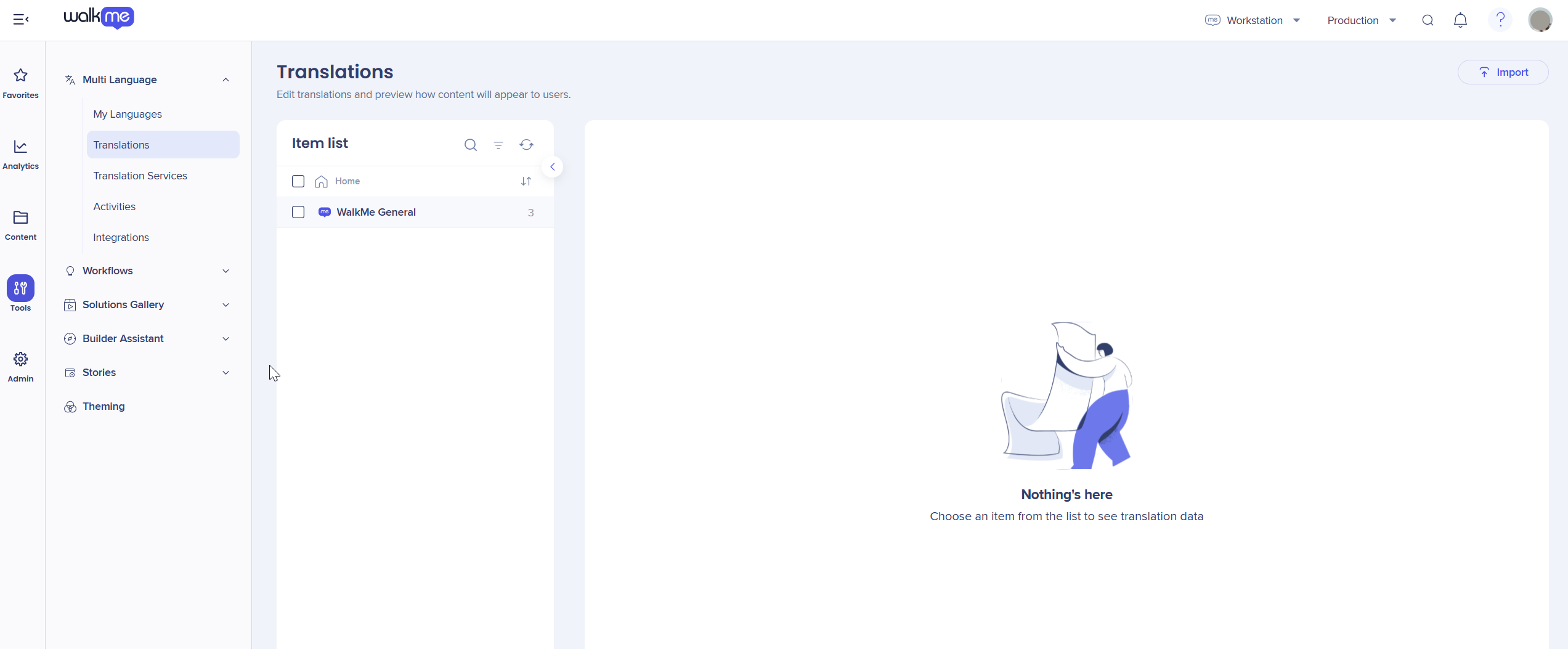
My Languages
Manage existing languages and add new ones.
My Languages
Translations
Edit translations directly and preview how content appears to users.
Translations
Translation Services
Manage and order translation projects for WalkMe content.
Translation Services
Export & Import
Define how translation files are exported and import translated content files.
Translation Export and Import
Activities
Track your multi-language activities and view activity details.
Translation Activities
Integrations
View all available translation integrations.
Translation Integrations
Multi-Language API
Automate translation management using the Multi-Language API.
Multi-Language API
Technical Notes
Translation review
Once all your translations are complete you can review them using Multi-language preview in the WalkMe Editor.
- Open your editor
- Select the items you want to preview
- Select the Arrow icon next to the Preview button
- Select Multi-language preview
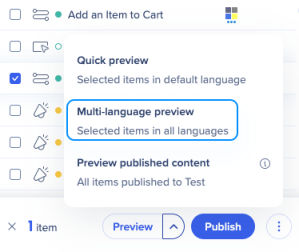
This allows you to verify that text, spacing, and design elements appear correctly in each language before publishing.
After publishing, users will see localized WalkMe content according to their language settings.


