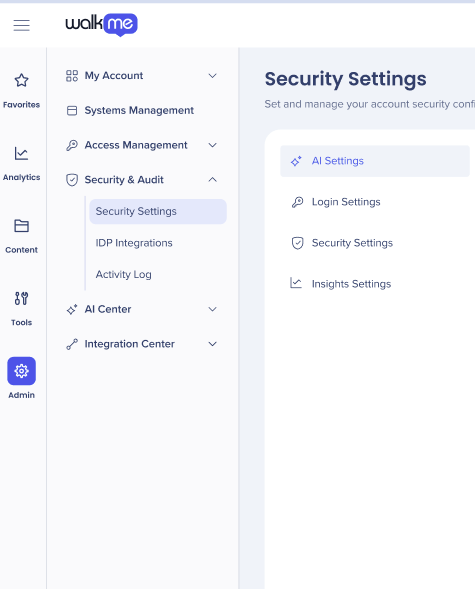
Brief Overview
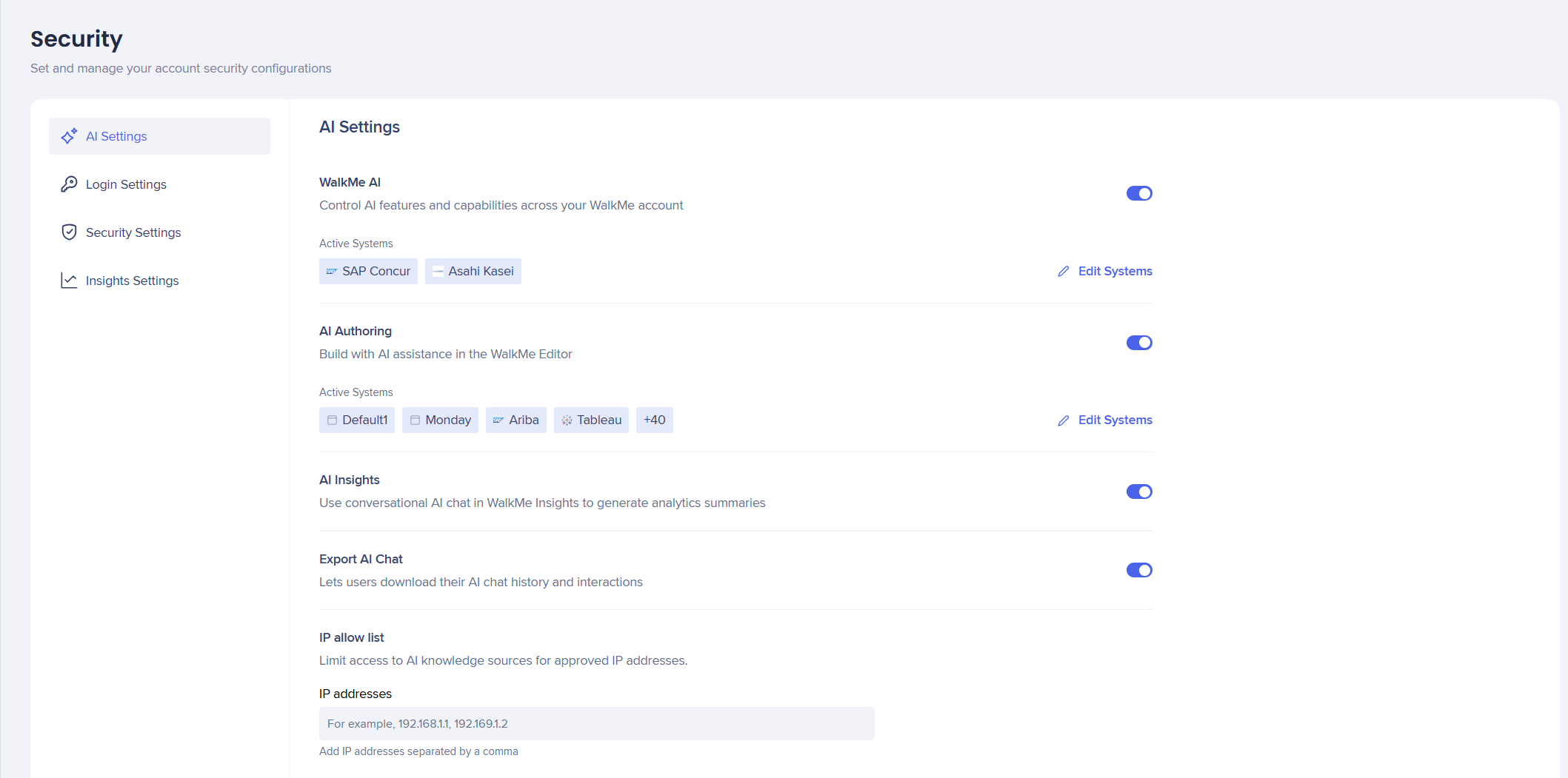
The AI Settings tab puts all AI capabilities in one place giving admins improved management and control over their AI features and usage across systems and accounts.
Access
Customers must first agree to WalkMe's AI Terms & Conditions before you can activate the toggles to turn on or off the AI capabilities.
Configure the availability of Contextual AI Assistance across your WalkMe account. Enabling this feature activates Pinned, Proactive, and On-Demand AI packages to use automated system intelligence to detect user intent, suggest next best actions, and improve overall productivity and compliance.
This needs to be activated on an account level first and then for selected systems.
- Turn on WalkMe AI to enable these features for your account and systems
About Contextual AI Assistance
AI Authoring
AI Authoring lets you create and modify WalkMe content by describing what you want in plain language, instead of building it manually.
This needs to be activated on an account level first and then for selected systems.
- Turn on AI Authoring to enable these features for your account and systems
AI Authoring
AI Insights
AI Insights is a conversational AI chat tool built into WalkMe Insights. It analyzes data from your connected WalkMe systems and surfaces answers in plain language.
AI Insights can be activated on an account level only .
- Turn on AI Insights to enable these features for your account
AI Insights
Export AI Chat
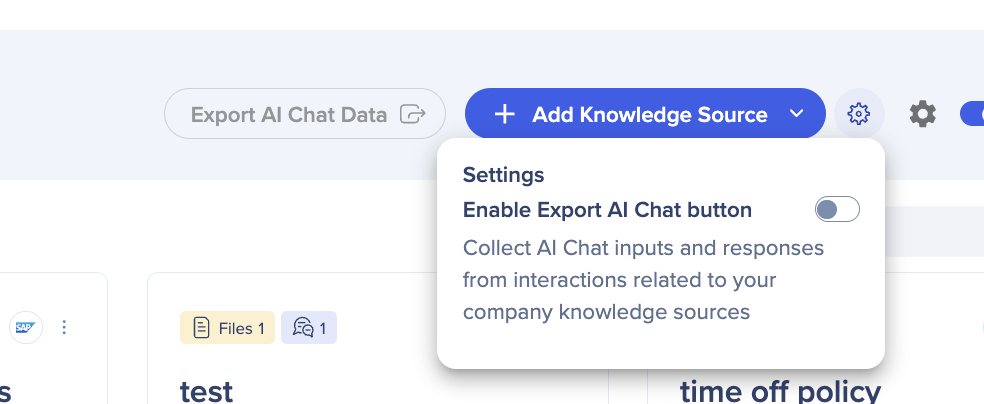
The Export AI Chat toggle enables users to collect the AI Chat inputs and responses from interactions related to AI knowledge sources. This toggle was previously in the AI Center.
- Turn on Export AI Chat, it then becomes accessible in the AI Center
Security Settings
IP Allow List
This is for accounts with high privacy regulations that want to control which end-users have access to their AI knowledge sources.
If want all your knowledge sources to be publicy available you don't need to enter in any IP addresses.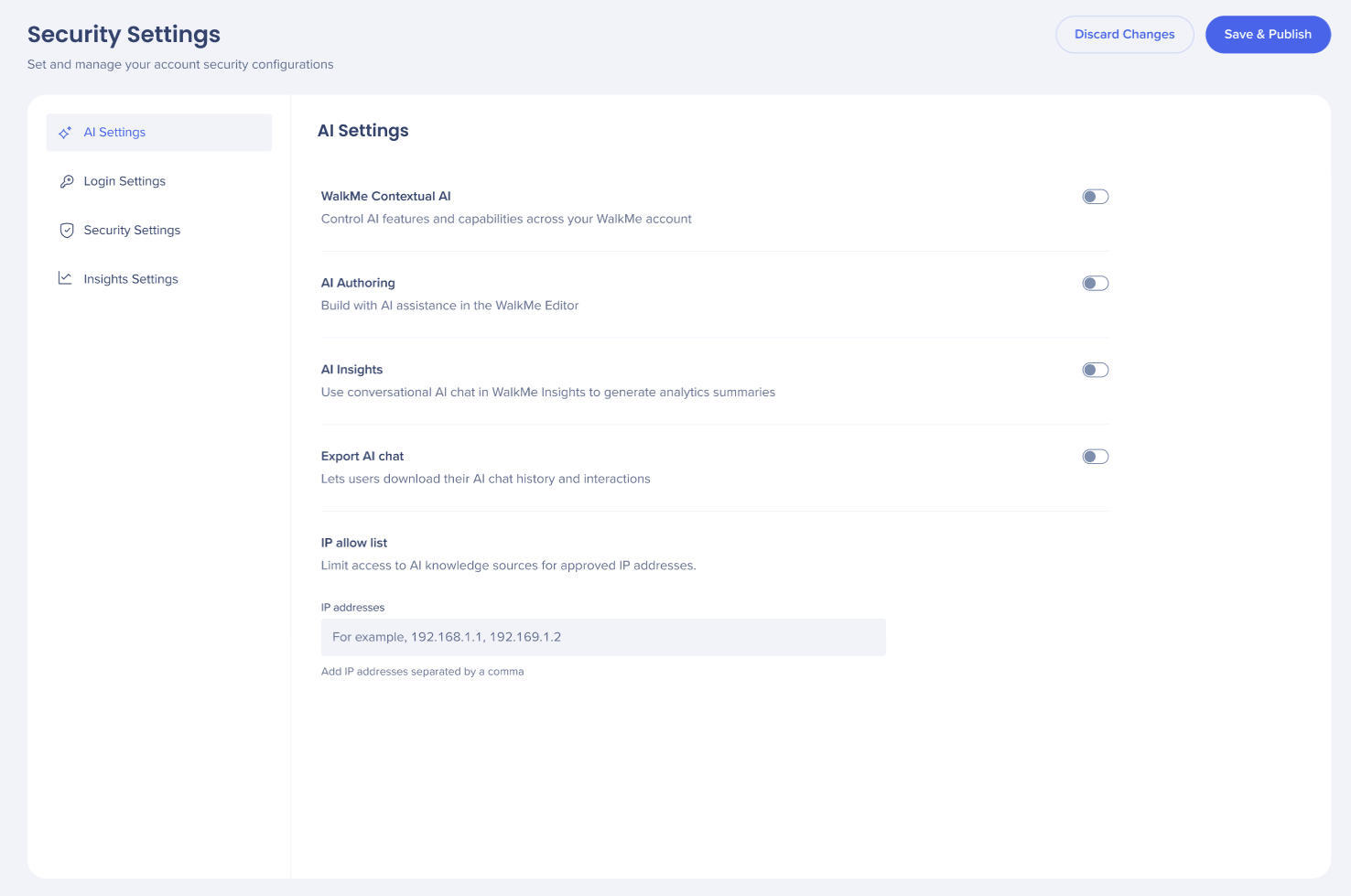
- Add IP addresses to the field, each configured IP appears as an individual tag in the field
- Choose Discard Changes or Save & Publish
Note
When Public Access is turned on, any IP address can access the uploaded knowledge sources - the IP restriction list is ignored. Learn more
Technical Notes
- System-level AI is available only while account-level AI is turned on
- AI Chat is supported only with the Pro Menu, it isn't supported with the legacy WalkMe Menu
- AI Insights and AI Authoring do not support Custom LLM