Issue
The WalkMe widget is appearing intermittently or not appearing at all.
Solution
Work through the checks below to find the cause.
Editor is open
The widget and published content won't appear when the editor is open.
- Close the editor
- Restart your browser
- Check if your published WalkMe content is now visible
The widget won't appear if no content has been added to the Menu Organizer and published.
- Open the Menu Organizer i
- Add the items you want to appear in the menu
- Select Publish
WalkMe Menu Organizer
- In the editor, select Customize
- Go to the Widget tab and scroll right
- If None is selected, choose a widget style
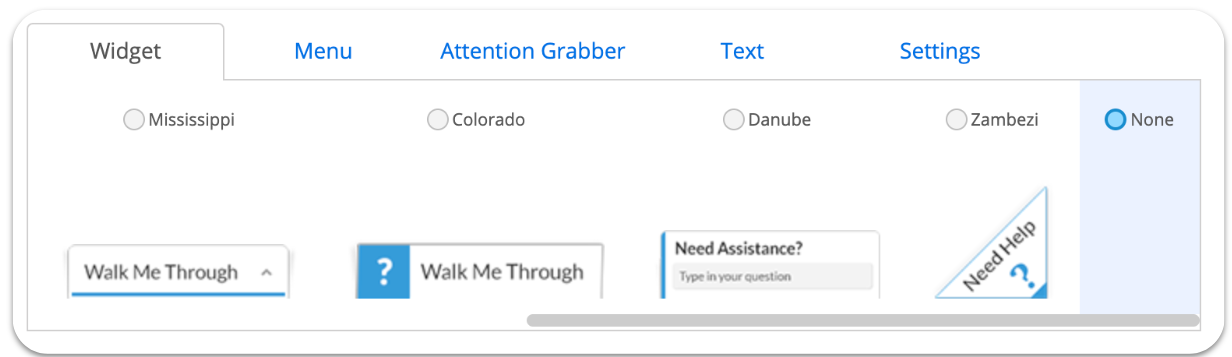
Note
Skip this step if you're using a Menu Launcher instead of the widget.
If the widget is segmented to appear only for specific users or in certain scenarios, it won't show for users outside those conditions.
- In the editor, open the Customize tab
- Go to Customize Player and then the Settings tab
- Review the Display Conditions and check if any rules are preventing the widget from appearing
- Perform a blank publish to your desired environment to apply the changes
If the widget appears in one environment but not another, check the URL rules in the rule engine to make sure both URLs are covered.
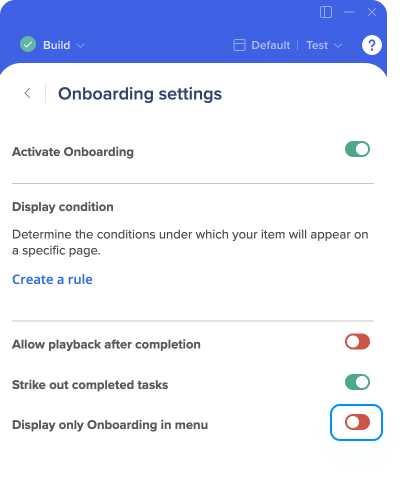
If Display Only Onboarding in Menu is turned on but no onboarding tasks are published, the widget won't appear.
- Open the editor settings
- Select Onboarding settings
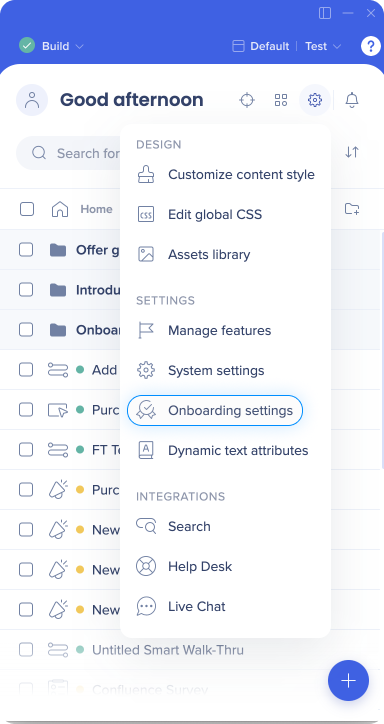
- Turn off Display Only Onboarding in Menu if no onboarding tasks are published
- Open the editor settings
- Select Edit Global CSS
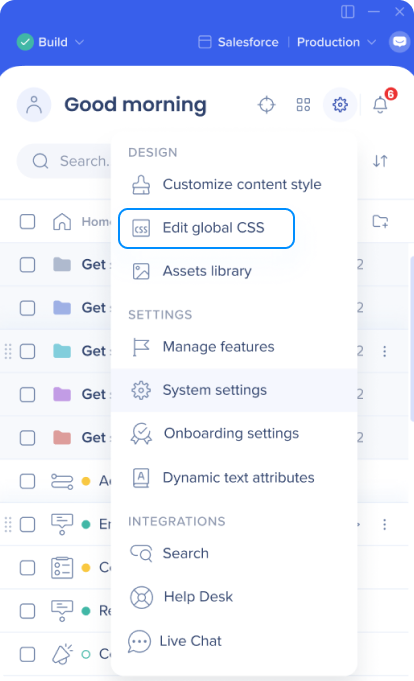
- Review for any custom CSS that could be hiding the widget
WalkMe isn't enabled on your site
- Open Developer Tools — press F12 or right-click and select Inspect
- Go to the Console tab
- Type WalkMeAPI and press Enter
If no error or "undefined" message appears, WalkMe is enabled and callable on your site. If it returns an error, WalkMe isn't loading — continue checking the remaining items below.
If WalkMe is deployed via the snippet, check the following:
- Go to Publish → Snippet tab and confirm WalkMe is enabled
- Confirm the production snippet is embedded in your production environment
- Confirm the test snippet is embedded in your test environment
New URLs added to processes (extension only)
If WalkMe is deployed via an extension and new URLs have been added to your processes since the extension was set up, the extension may not cover those URLs. Reach out to your Customer Success Manager or WalkMe contact for help.
Content is segmented
If your content — rather than the widget itself — is segmented to appear only for specific users or scenarios, it won't show for users outside those conditions. Review and adjust the segmentation rules for the relevant content.
If none of the above steps resolve the issue, contact WalkMe Support.


