How Will I Receive New Updates?
New updates to WalkMe became available on May 3, 2021.
Your current implementation will not be affected by the updates until you publish again. For customers that run WalkMe on their local servers, contact your Customer Success Manager or WalkMe contact to learn how you can gain access to these new features.
Watch the May Product Release Webinar recording here
WalkMe Management Dashboards
WalkMe's Management Dashboards provide you with visibility into your tech-stack adoption, employee productivity, and the status of strategic digital initiatives. With WalkMe, gain a consolidated view of data from web and desktop systems across your entire organization and make data-driven decisions to propel your digital transformation initiatives forward. Our new Digital Adoption Projects Dashboard and updates to our System Overview Dashboard will continue empowering you and your Executives with the insights needed to drive your digital transformation initiatives forward.
Digital Adoption Projects Dashboard
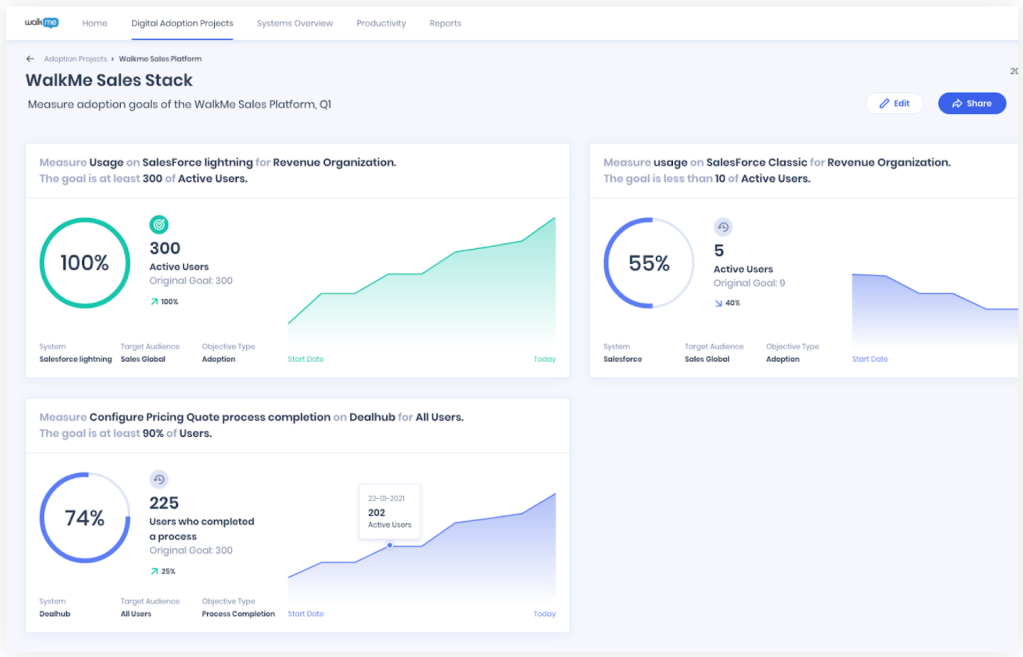
The Digital Adoption Project Dashboard allows you to define, track, and measure KPIs as they relate to your digital transformation goals - from software usage through feature adoption.
With this Dashboard you can:
- Ensure KPIs are measurable, not just anecdotal
- See strategic initiatives in one view across systems and business units
- Create consistent KPIs when kicking off any new project
- Measure application adoption, out-of-the-box
- Have the ability to measure the effectiveness of digital adoption
Read More | Video Overview | Rollout: General Availability (GA)
Systems Overview for Desktop Applications
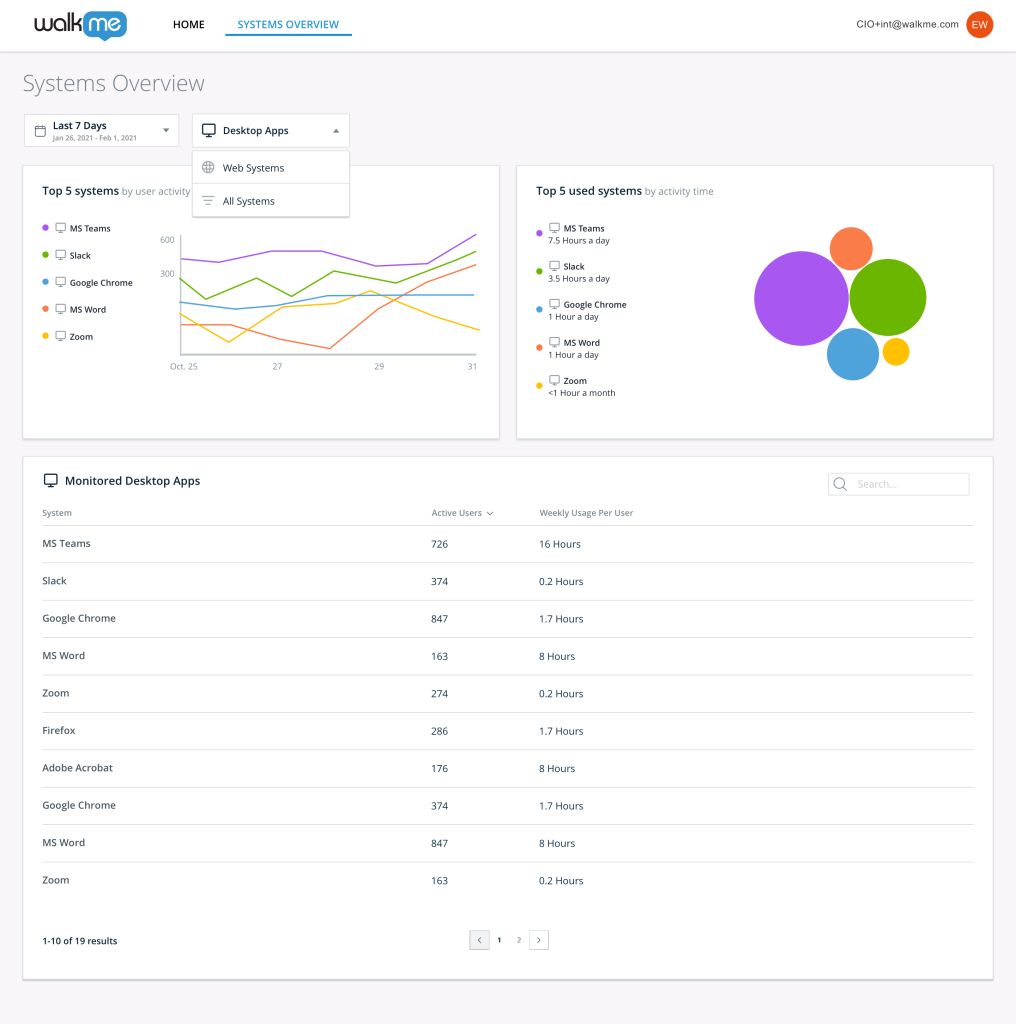
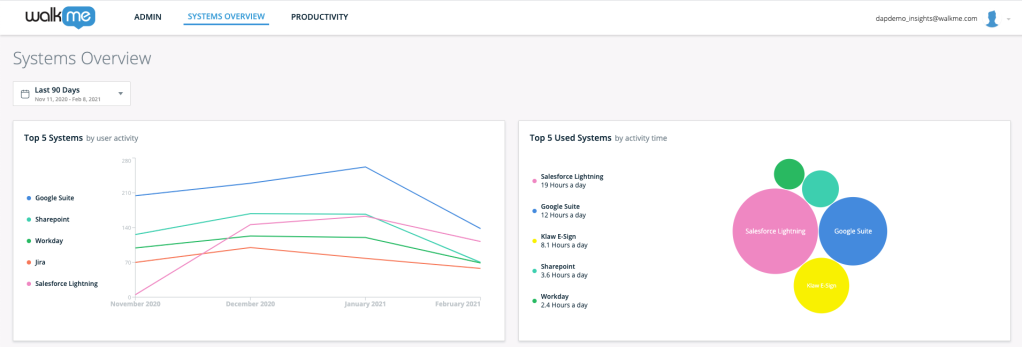
Executive dashboard to gain visibility into software adoption and utilization across web and Desktop based applications.
The latest enhancements enable you to:
- Expand visibility into your organization's technological stack on Desktop applications
- Help Executives make data-driven, strategic decisions with visibility into Desktop applications across the organization
- Identify low utilization and adoption of Desktop applications which can be addressed with WalkMe
Read More | Rollout: Gradual release for customers with the desktop/mobile menu. Please reach out to your CSM to have this enabled.
WalkMe Shield
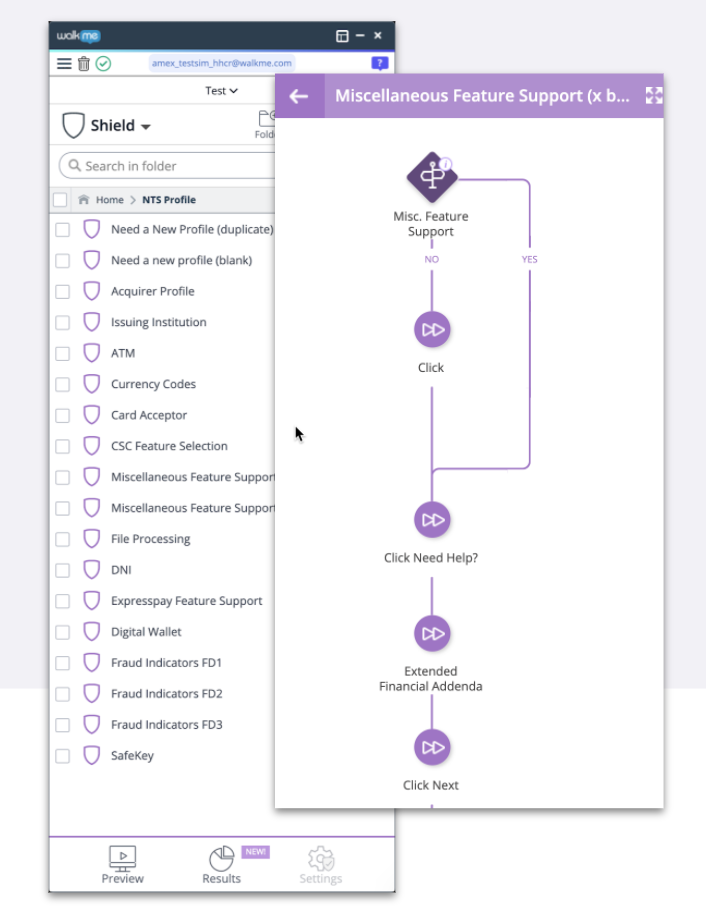
An automated testing solution that ensures your end-users WalkMe experience is always up to date.
With WalkMe Shield you can:
- Provide a seamless end-user experience, regardless of website or platform changes
- Streamline the content maintenance experience
- Save time and money by easily automating manual testing efforts
- Give time back to builders to focus on building valuable content, not testing
Read More | Rollout: GA for Salesforce Lightning Editors
UI Intelligence
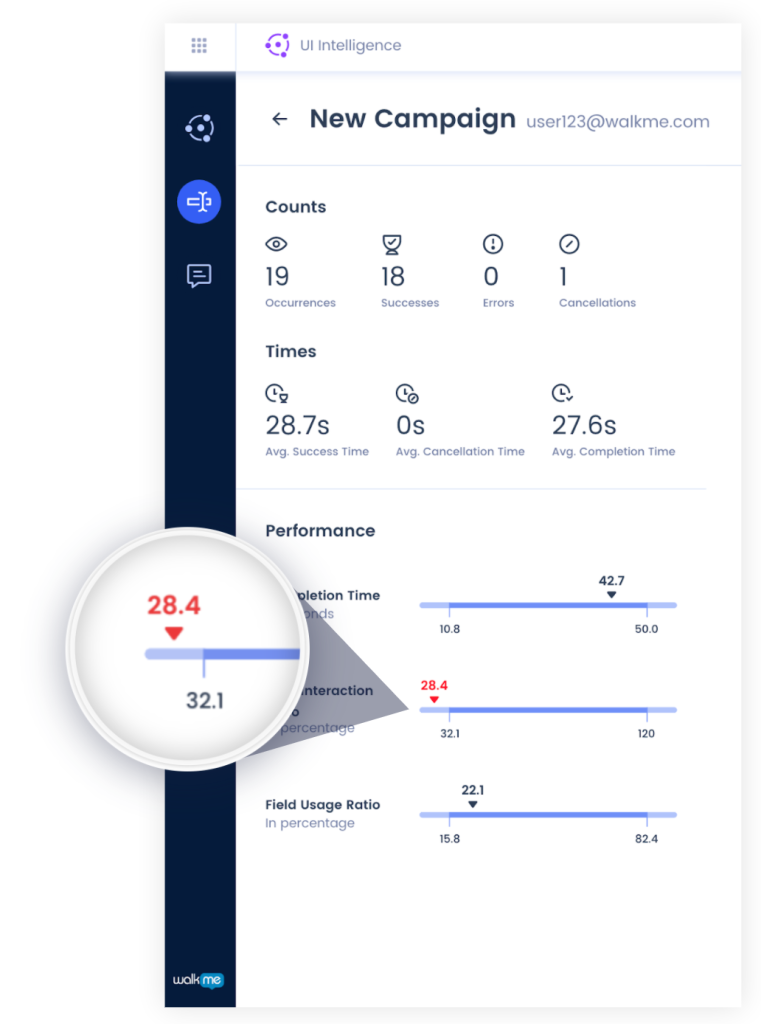
Machine learning algorithm which understands forms in the underlying application and provides actionable insights to be addressed with WalkMe content.
With this revolutionary capability you can:
- Acquire actionable insights based on how users engage with the forms in the underlying application
- Build the right things without guessing what you think your users need
- Gain visibility into frequent errors on your pages and average completion times to improve user inefficiencies
Read More | Rollout: General Availability (GA) for Salesforce Lightning Editors
Communication Center
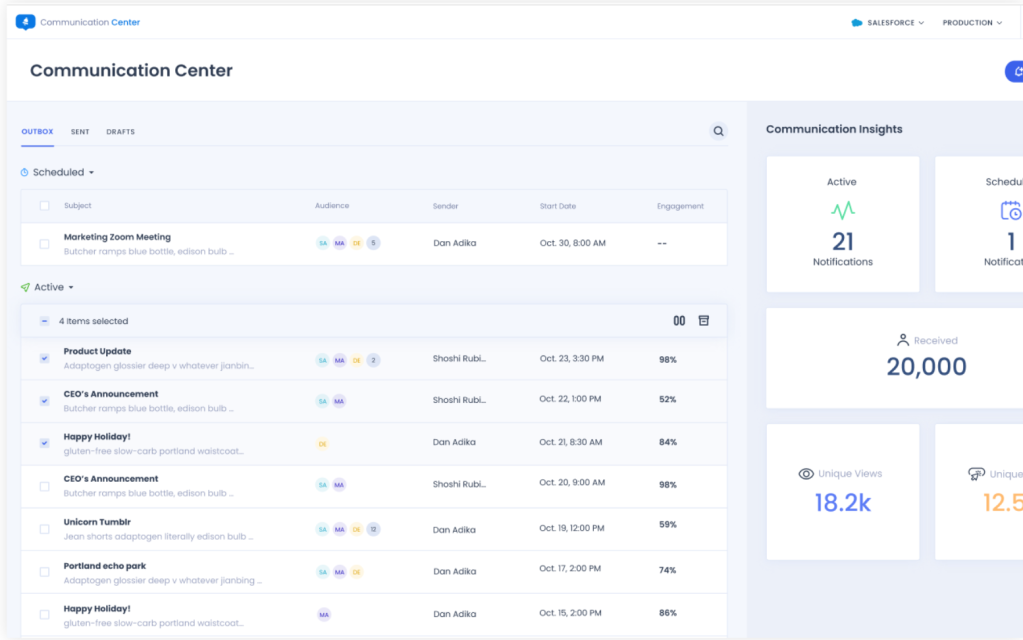
Simplify the desktop/mobile menu builder experience with a new and improved version of the ShoutOut/Notification creation and monitoring experience.
The new Communication Center allows you to:
- Enable a new type of WalkMe builder
- Schedule messages to appear in the future
- Track engagement directly in the UI
Read More | Rollout: Gradual release for customers with desktop/mobile menu. Please reach out to your CSM to have this enabled.
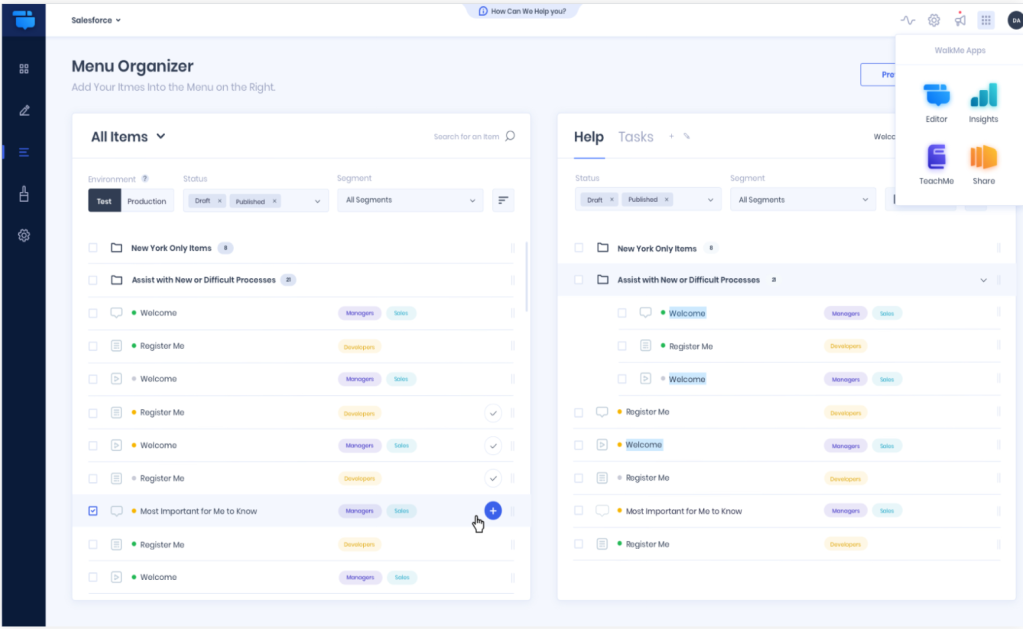
A new and improved version of the existing menu organizer. An overall improved Builder experience for managing the WalkMe Menu, which in turn, improves the end-user's experience with WalkMe.
With the latest enhancements you can now:
- Target a specific user type with their own tab to personalize their experience
- Simplify the user experience with a single tab for specific collateral types
- Reduce time to publish in the menu by selecting and adding multiple items at once
- Find the content you created more quickly with new search capabilities
Read More | Video Overview | Rollout: General Availability (GA)
Customize on Screen
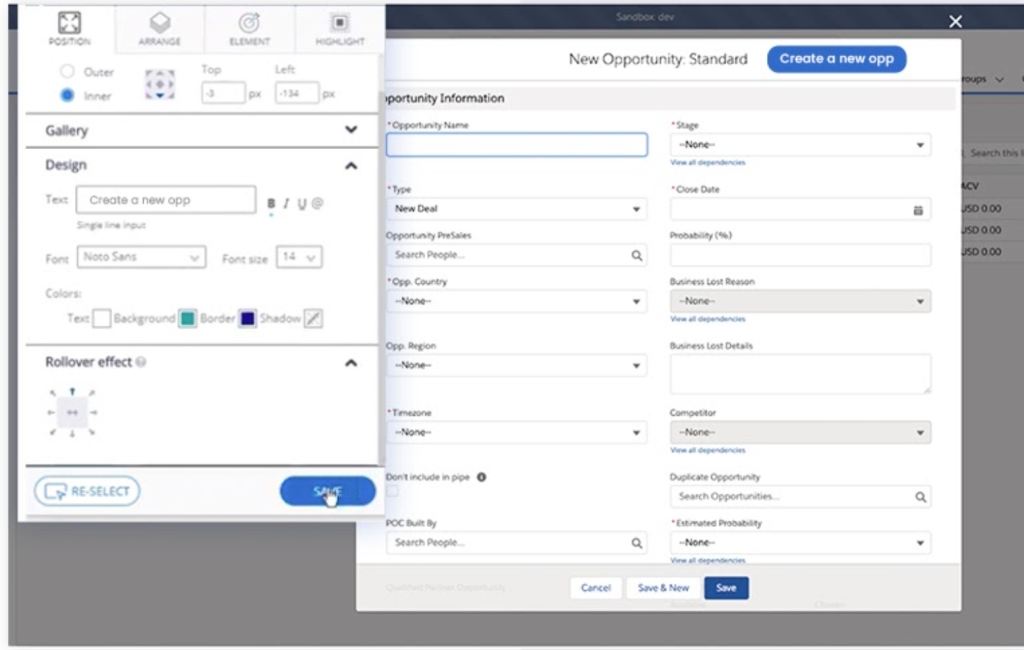
Simplify the content creation experience by allowing users to build and customize Launchers directly on the Application screen
This capability:
- Improves the experience and productivity of builders
- Removes the need for builders to toggle between the Application and the Editor to view how their Launcher will look like in the Application
Read More | Video Overview | Rollout: Gradual release. Please reach out to your CSM to have this enabled.
Solution Accelerators
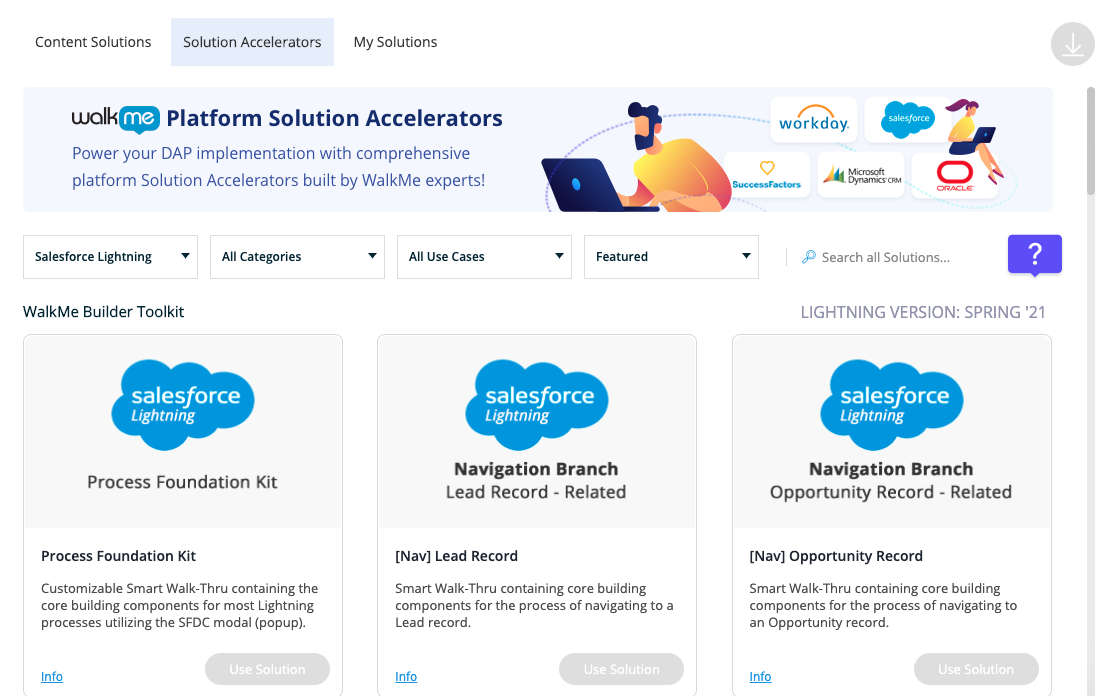
Pre-built solutions for common applications including Lightning, Oracle HCM, Workday®, SuccessFactors, and Dynamics for US Editors and Lightning, Workday®, Dynamics, and SuccessFactors for EU Editors.
With Solution Accelerators you will:
- Go live by 45-60% faster with pre-built content
- Decrease effort & resources required to scope, build, and maintain common processes on common applications
- Proactively address UI changes during major platform releases
- Understand the value of the solutions with descriptions of use cases
Read More | Video Overview | Rollout: General Availability (GA) for Supported Platforms
ActionBot Enhancements

A natural language conversational interface with new capabilities.
The newest capabilities will empower you to:
- Reduce form fatigue and improve conversation completion rates by re-creating forms with only required fields | Read More
- Create a more personalized experience with segment-based conversations | Read More
- Easily visualize conversations in a diagram view & export it to PDF to share with your team for feedback | Read More
Read More | Video Overview | Rollout: Gradual release. Please reach out to your CSM to have this enabled.
Session Playback Subdomain Update & Forced Global Settings Publish
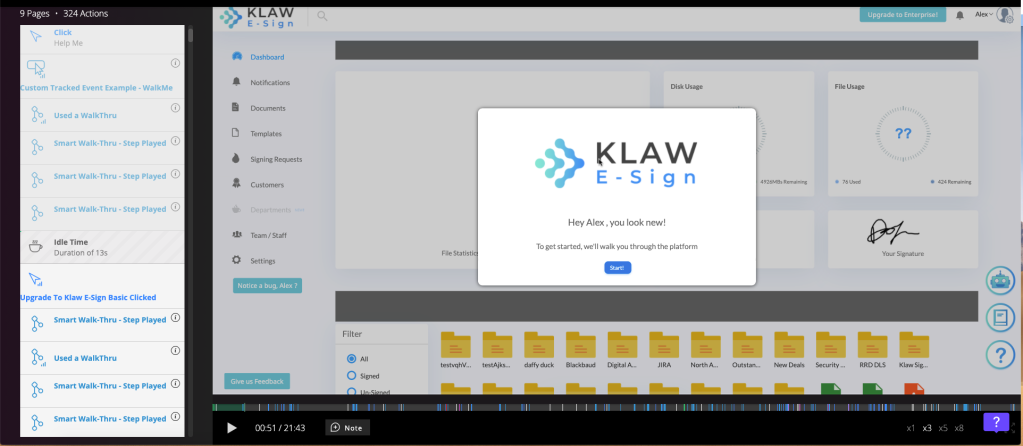
As previously communicated to customers using Session Playbacks, changes have been made to WalkMe's subdomains. If your IT department has allowisted walkme.com or does not require allowlisting of WalkMe domains, no further action will be needed.
If your IT department has allowlisted specific WalkMe subdomains, updates will be needed to ensure Session Playbacks will continue being collected.
Please note, if your IT needs to make these updates, this will not impact your end users engaging with WalkMe content. Until these changes are made by IT, and Session Playbacks will not be collected.
All subdomains that may require allowlisting from your IT can be found here.
To finalize this process, there will be a gradual roll-out within the WalkMe Editor with a forced global setting publish. Any settings you have at that time will automatically be pushed to all environments. After the publish is made, IT will need to have the specific WalkMe subdomains allowlisted, if applicable. You can request IT to update the subdomains, before this update occurs in your Editor.
For more information about what's new and to subscribe to continuous updates, check out our Technical Release Notes page. Please note, you must login to subscribe.


