Brief Overview
WalkMe Discovery gives you full visibility into your company's tech stack, so you can make data-driven decisions and execute your digital adoption strategy. Using integrations with multiple data sources, Discovery shows you a clear picture of how your employees use applications across your organization.
WalkMe Discovery: Getting Started Guide
Access
Access Discovery in the console:
- Open the WalkMe Console:
- Go to the Analytics category
- Select Discovery
Application Discovery
Uncover software usage across your organization automatically
WalkMe's DeepUI technology processes data from multiple sources, including the WalkMe browser extension, to map every application used across your organization, whether or not WalkMe is enabled for it.
- Discover every application used across your organization, regardless of whether WalkMe is enabled for it
- See app data mapped from multiple sources through DeepUI technology
- Add, track, and manage applications with WalkMe
Configuring WalkMe Discovery
Application Engagement
Get a deeper view into utilization beyond first-party SaaS reporting and anecdotal evidence
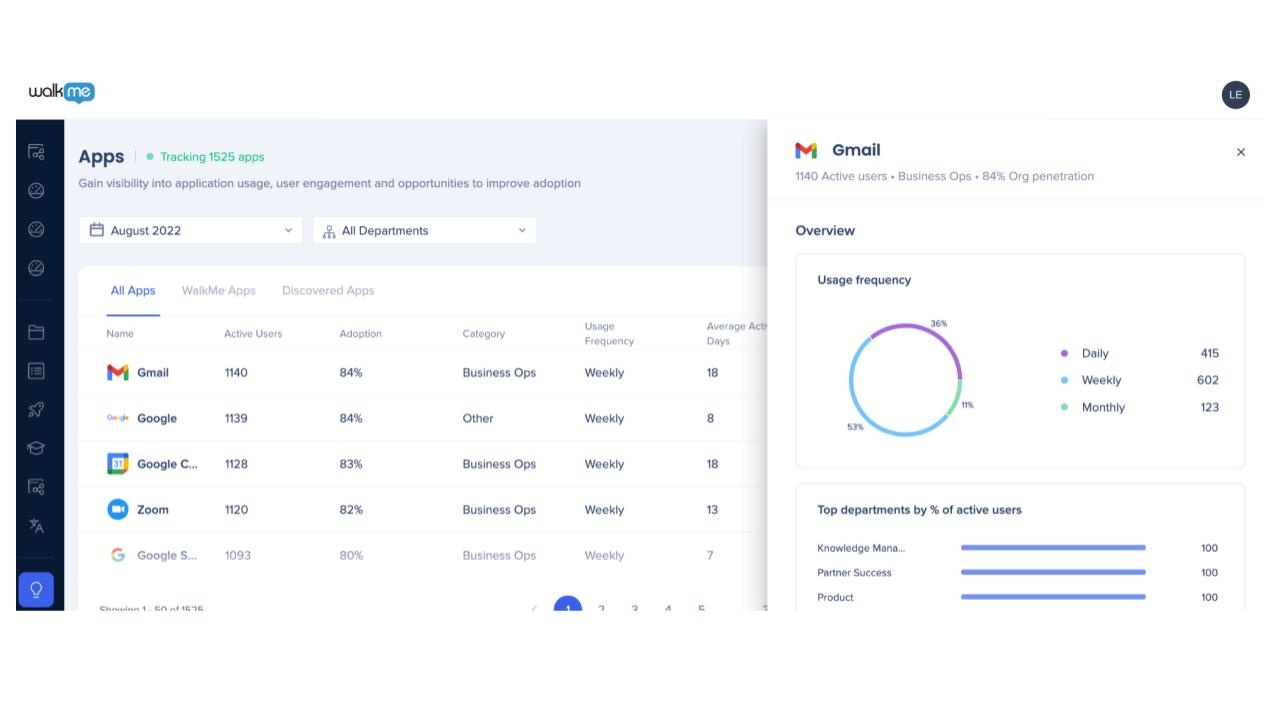
See how often employees engage with each application, compare engagement across apps, departments, and users, and identify where adoption needs improvement.
- Identify friction points and tools that need better adoption strategies
- See how frequently employees engage with an application
- Compare engagement across apps, departments, and users
WalkMe Discovery: Apps Dashboard
User Departments and Insights
Drill down into application usage by employee characteristics via CSV upload
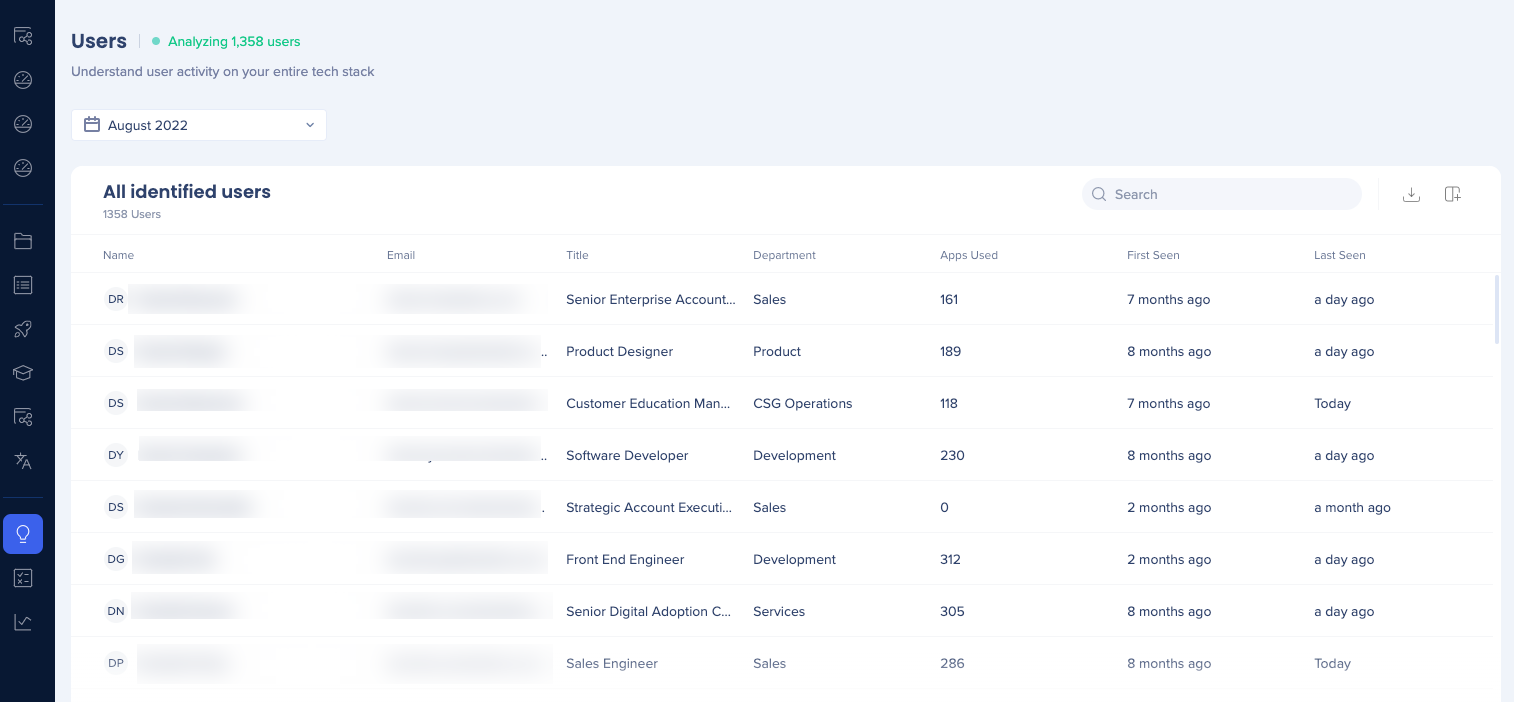
Upload a CSV with employee details like department, cost center, and geography to see how your tech stack is spread across your organization and inform decisions about which applications to retire or migrate.
- Drill down into application usage by employee, department, cost center, or geography
- Identify specific users and departments to address usage patterns
- Inform plans to retire or migrate applications based on employee needs
WalkMe Discovery: Users
License Optimization
Review relative estimates for potential cost savings of licenses and license types
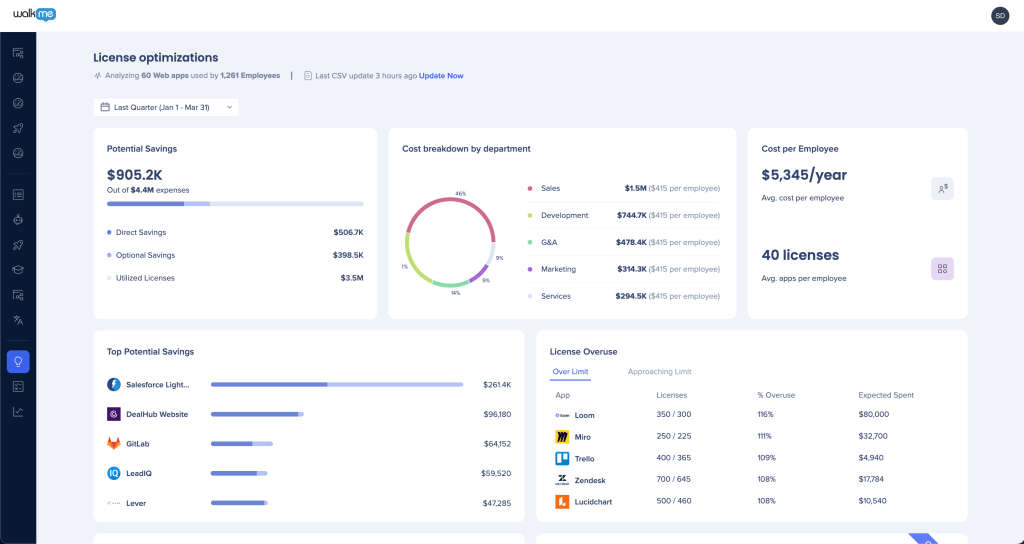
Measure how many users actively access and adopt an application over time, compare licenses to app utilization, and track engagement patterns to gauge the effectiveness of your software investments.
- Measure how many users actively access and adopt an app over time
- Compare licenses to app utilization
- Track engagement patterns to measure the effectiveness of software investments
- Audit first-party SaaS utilization data against actual usage patterns for software renewals and negotiations
WalkMe Discovery: Licenses Optimization Dashboard
Data Export
There are several ways to export Discovery data:
- Manual export: Use the export button on each discovery dashboard (Apps, Users, Departments, Licenses)
- Insights reports: Export or subscribe to reports from Insights
- Supports app-level data
- Requires the WalkMe data team to enable the report
- Integration Center: Set up an outgoing integration
- Supports app and user-level data
- Requires the WalkMe data team to enable the report
- Discovery apps API: Export data in JSON format for consumption by 3rd party platforms
Discovery Apps API
Technical Notes
- The dashboard becomes available for review two weeks after activation
- You'll have a solid sample size for analysis after one month
- You can begin identifying patterns month to month after three months


