Brief Overview
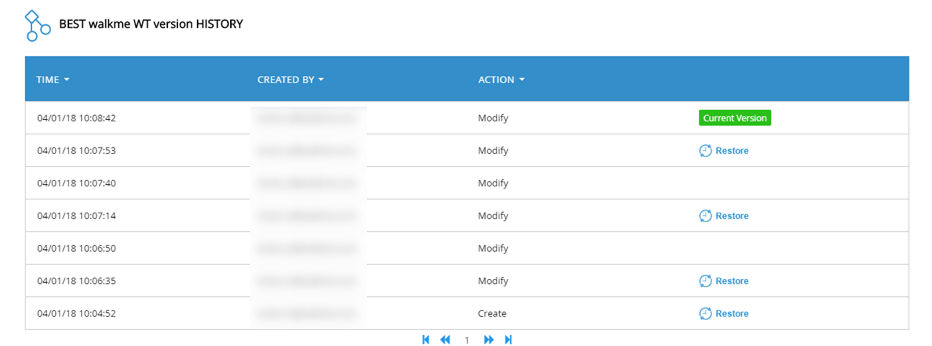
Version History lets builders track, preview, and restore previous versions of both settings and WalkMe items. This includes configuration settings like Global CSS or segments, and content like Smart Walk-Thrus and launchers.
Use Cases
- Roll back to a previous CSS theme after a visual bug is found
- Compare two SmartTip configurations to debug validation issues
- Restore a known-good segment rule after experimental edits
Access
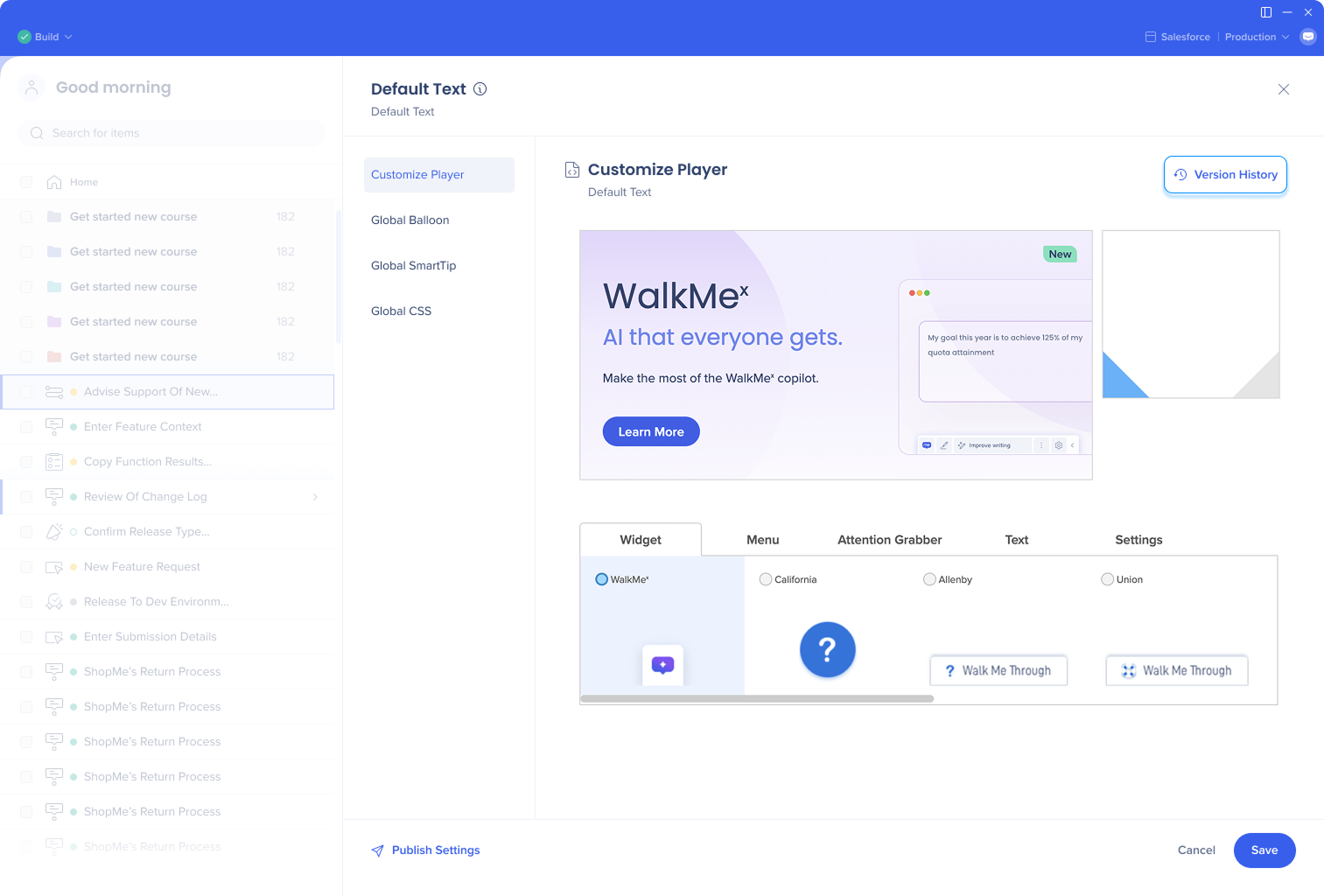
To access Version History for a setting:
- Open the settings screen that supports the feature
- Select Version History
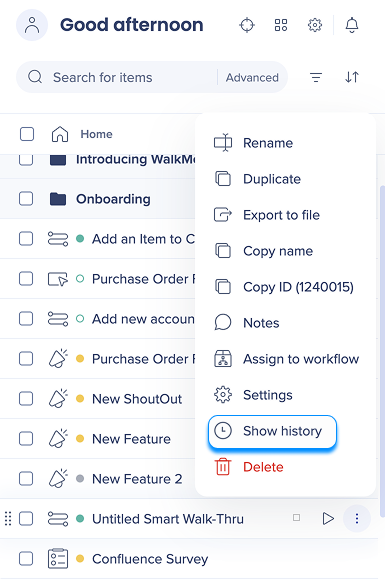
To access Version History for an item:
- Open the Options menu on the item
- Select Show history
How It Works
Version History is available for both settings and items.
Supported settings
Design: Global CSS, Theming, Global balloon design, Global SmartTip design
Menu: Menu structure, Menu configurations and integrations
Other settings: Segments, Dynamic text attributes, Asset library, Data collection level, UUID, language, accessibility, and screenshot preferences
Supported items
- Smart Walk-Thrus
- SmartTips
- Launchers
- ShoutOuts
- Surveys
Note
Version history is only available for the visual content. It's not relevant for videos, articles, shuttles, and onboarding tasks.
Key capabilities
-
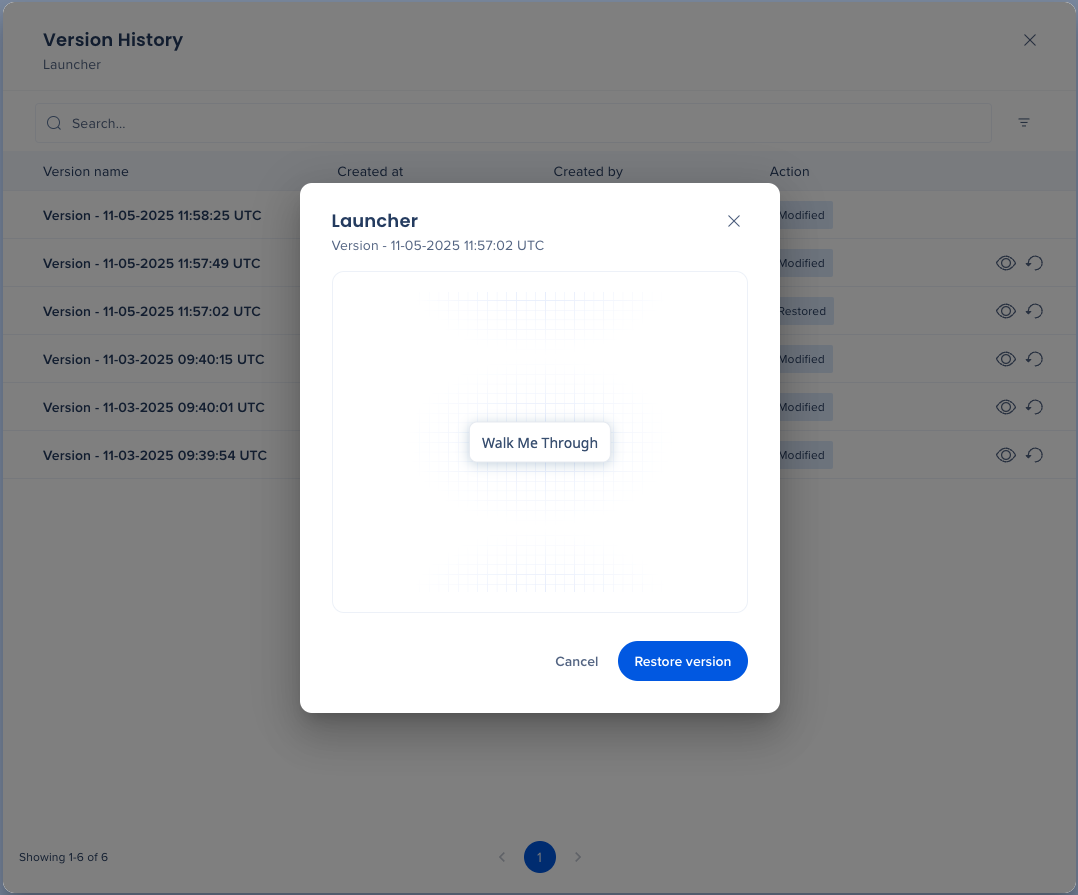
View version metadata: Name, timestamp, user, and environment
-
Select the Eye icon to preview the version

- Select Restore version while previewing to restore it, or select the Restore icon directly from the list to skip the preview
Technical Notes
- Restoring a version is reversible — you can always go back to the current version if needed
- Restore functionality is environment-specific
- Only versions created after Oct 10, 2025 are shown
- Version History is only available for visual content — it's not relevant for videos, articles, Shuttles, and onboarding tasks
- To see earlier history, revert to the old UI