Brief Overview
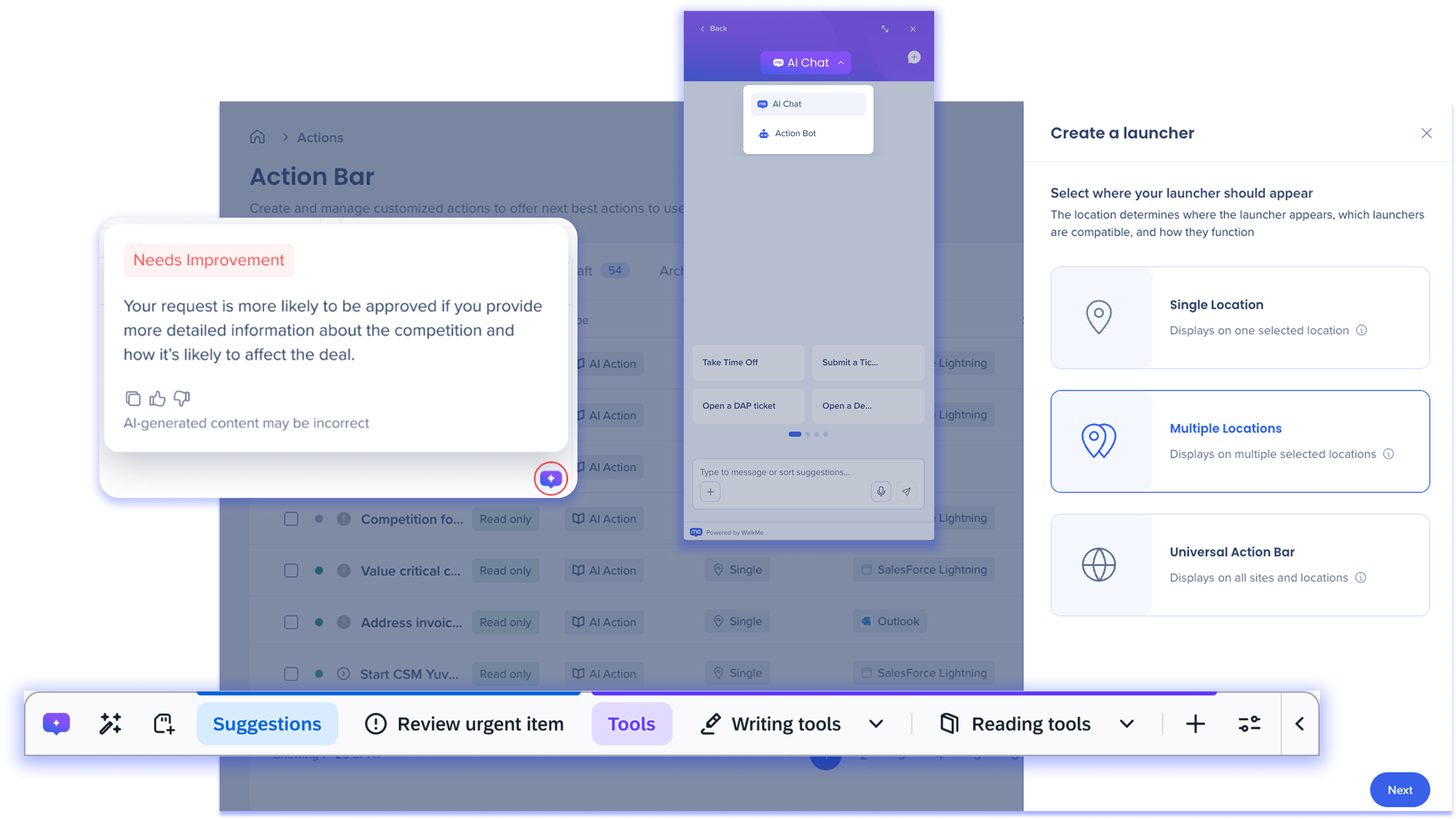
WalkMe's suite of Contextual AI Assistance provides access to an advanced set of WalkMe AI services—Pinned, Proactive, and On-Demand—to help inject workflows with AI-powered guidance and automation that improves end-user productivity and compliance across tasks, apps, and user workflows.
By embedding Contextual AI Assistance into real-time user journeys, WalkMe helps organizations bridge the gap between data, software, and human decision-making—making the impact of AI immediately actionable across systems.
🎓 Digital Adoption Institute
WalkMe's Contextual AI Suite
Pinned AI
WalkMe's Pinned AI brings timely, contextualized guidance directly attached to the UI elements users already interact with. With AI SmartTips on input fields and AI Launchers on the screen, users get instant, contextual help right where they're working—without breaking their flow or switching apps.
Ready to get started with Pinned AI?
Pinned AI: Getting Started Guide
Learn about specific Pinned AI features:
Proactive AI
WalkMe's Proactive AI delivers real-time guidance, recommendations, and next best actions exactly when and where they're needed. Enable the Action Bar's AI-powered capabilities to provide powerful, context-aware functionality and benefits for builders and end-users.
Ready to get started with Proactive AI?
Proactive AI: Getting Started
Learn about specific Proactive AI features:
On-Demand AI
WalkMe's On-Demand AI provides users with reliable, omnipresent access to AI assistance and company resources via a conversational in-app interface. Users can initiate AI-driven support to get tailored responses, retrieve organizational knowledge, and trigger curated actions in real-time.
Ready to get started with On-Demand AI?
On-Demand AI: Getting Started
Learn about specific On-Demand AI features:
Shared Capabilities Across the AI Suite
AI Activation
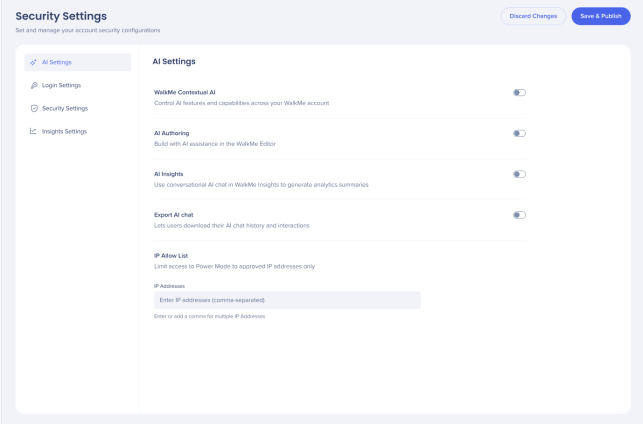
Admins turn WalkMe AI on or off for the entire account using the WalkMe AI toggle on the Security page in the Admin Center.
For the full setup process — including AI entitlement, turning on AI, and setting up AI features:
Getting Started with WalkMe Contextual AI
🎓 Digital Adoption Institute
Technical Notes
Reporting of AI Concerns
We are committed to transparency and accountability in the use of AI systems. If you have any concerns regarding our role in the development, deployment, or operation of our AI systems throughout their lifecycle, or about the responsible and ethical use of AI technology, please report them directly to our security team at security@walkme.com.


