Brief Overview
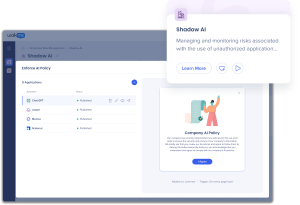
Shadow AI, a tool from Discovery, is available as a workflow in the Workflows app. The Shadow AI workflow gives you easier access to Shadow AI builds, without needing an editor account. It comprises tasks (ShoutOut and restrictions use cases) that business users can browse and request for implementation.
Users with Discovery can also access the Shadow AI Apps dashboard as a new tab in Workflows. This dashboard mirrors the one in Discovery and lets you select AI apps and build shoutouts. Content created in Discovery exists in the Workflow Tasks, and content created in Workflow Tasks exists in Discovery.
How It Works
There are two user views for Shadow AI in Workflows: one for users with Discovery, and one for users without. Each view gives access to different pages and features.
Request Shadow AI tasks with Discovery
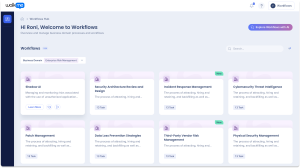
- Select Enterprise Risk Management from the Business Domain dropdown
- Select the Shadow AI workflow tile
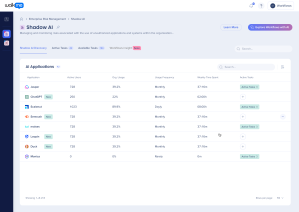
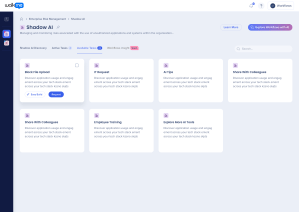
- The Shadow AI Discovery table appears
- This table mirrors the Shadow AI dashboard from Discovery and displays every app related to the workflow
- Any Shadow AI Actions created from Discovery also appear here under the relevant Active Task
- Select the Available Tasks tab
- Select the tasks you want to request
- Select Request
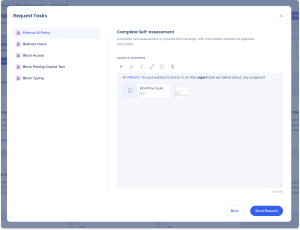
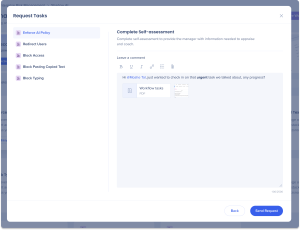
- A popup opens with a list of the tasks you're requesting
- In the Special Instructions field, add any additional information your team should know about the task
Tip
Tag specific team members in your instructions by using “@”.
- Select Send Request
- The tasks now appear in the Active Workflows tab and the Requests List page
Easy build implementation
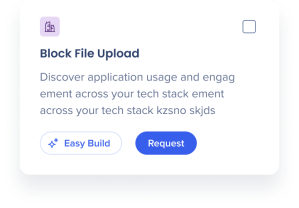
All Shadow AI tasks include an easy build option on hover, for instant implementation within your workflow.
- Select Easy Build
- Choose an application
- Create your Shadow AI solution
- Select Save & Continue
- Recommended: Preview your action
- Select Publish
Request Shadow AI tasks without Discovery
- Select Enterprise Risk Management from the Business Domain dropdown
- Select the Shadow AI workflow tile
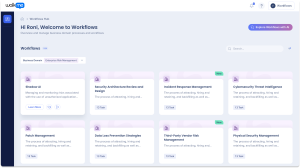
- The Shadow AI Discovery tab will open
- If Discovery is not activated, a banner appears on the Shadow AI page with a link to activate Discovery

- Select the Available Tasks tab
- Select the tasks you want to request
- Select Request
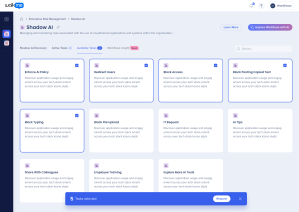
- A popup opens with a list of the tasks you're requesting
- In the Special Instructions field, add any additional information your team should know about the task
Tip
Tag specific team members in your instructions by using “@”.
- Select Send Request
- The tasks now appear in the Active Workflows tab and the Requests List page