The Security page in the Admin Center is where authentication settings and access policies for your data and systems are managed and enforced. Admins can easily configure login methods, enable Multi-Factor Verification, and define session timeouts to protect organizational data. This ensures your WalkMe environment remains secure and compliant while providing a seamless login experience for your users.
Access
To manage your account security configurations, open the Security page in the Admin Center. Select your data center:
How It Works
The Security page allows you to enable and configure various security layers for your WalkMe account. Each feature can be managed using its corresponding toggle to turn the setting on or off.
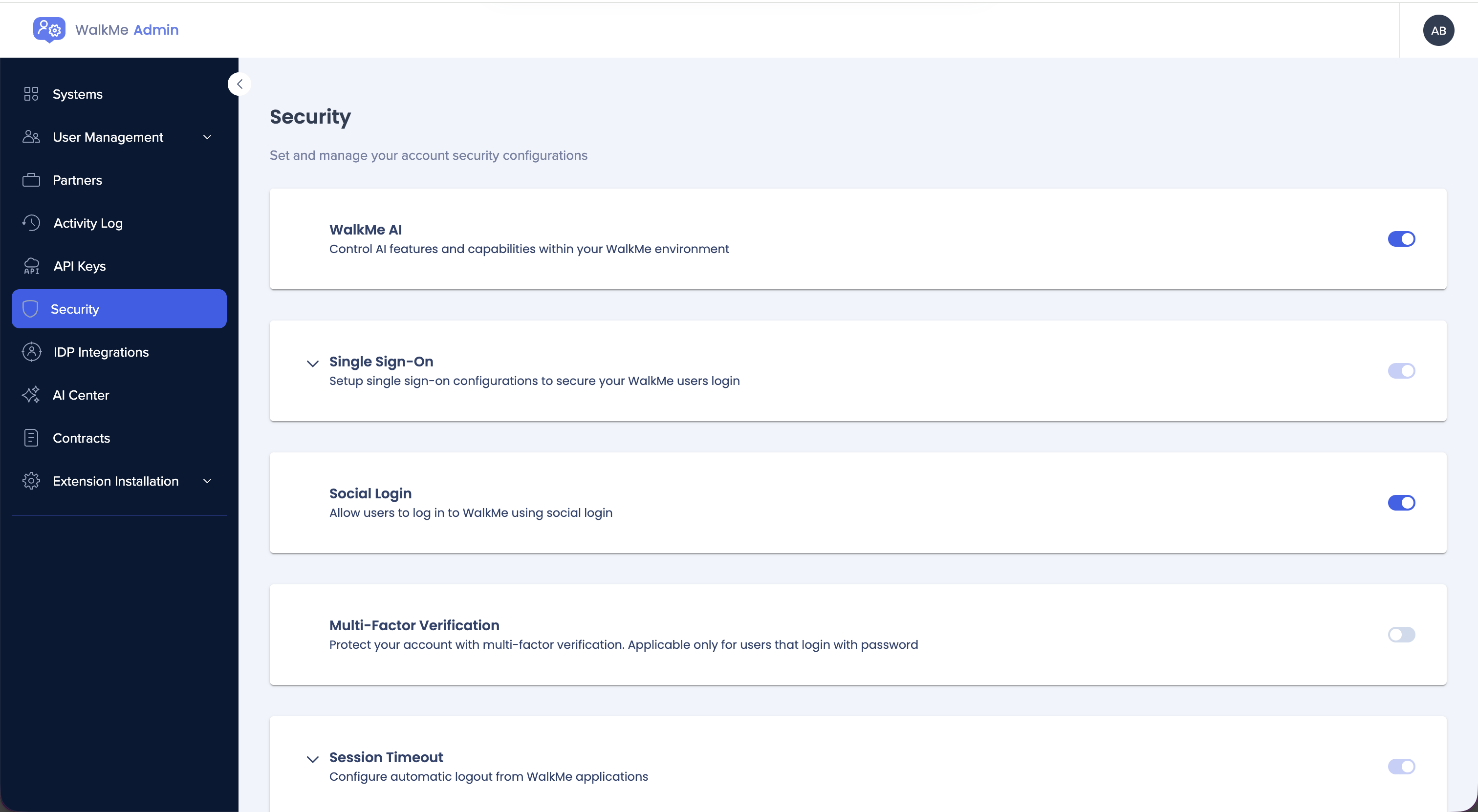
WalkMe AI
Configure the availability of Contextual AI Assistance across your WalkMe account. Enabling this feature activates Pinned, Proactive, and On-Demand AI packages to use automated system intelligence to detect user intent, suggest next best actions, and improve overall productivity and compliance.
About Contextual AI Assistance
Gradual rollout
The WalkMe AI toggle is being gradually rolled out and may not be immediately visible in your account. To see the toggle, you must first accept the service agreement.
Single Sign-On
Configure Single Sign-On (SSO) to secure your WalkMe users' login process by authenticating through your organization's identity provider. This streamlines access while maintaining strict security standards.
Single Sign-On (SSO)
Social Login
Social Login lets users log in to WalkMe using their existing social media credentials. This provides a faster, more convenient login experience for users who do not require enterprise SSO.
WalkMe Login
Multi-Factor Verification
Add an extra layer of protection with Multi-Factor Verification. This setting is applicable only for users who log in with a password and requires them to provide two or more verification factors to gain access.
Multi-Factor Authentication (MFA)
Session Timeout
Configure an automatic logout from WalkMe applications after a specific period of inactivity. Setting a Session Timeout helps prevent unauthorized access from unattended devices.
Session Idle Timeout
Technical Notes
- Changes to security configurations may impact user access immediately
- Before enabling Single Sign-On, ensure your identity provider is correctly configured to avoid account lockout
- Multi-Factor Verification only affects users logging in via the standard password method
- Administrative permissions in the Admin Center are required to modify these settings
- For advanced integrations, refer to the IDP Integrations article


