This page explains what changed in the Q1 '26 release, how each update works, and when to use it. It's written for admins, builders, and program owners who want clear, practical guidance.
All updates are available starting February 23, 2026.
What's included in this release
This release includes updates across the full WalkMe platform. This page focuses on the following key updates:
Action Bar – The new WalkMe widget, now available to all customers as an on-screen entry point to launch WalkMe experiences. The AI-powered version also adds dynamic action selection, multi-source text support, and built-in performance measurement.
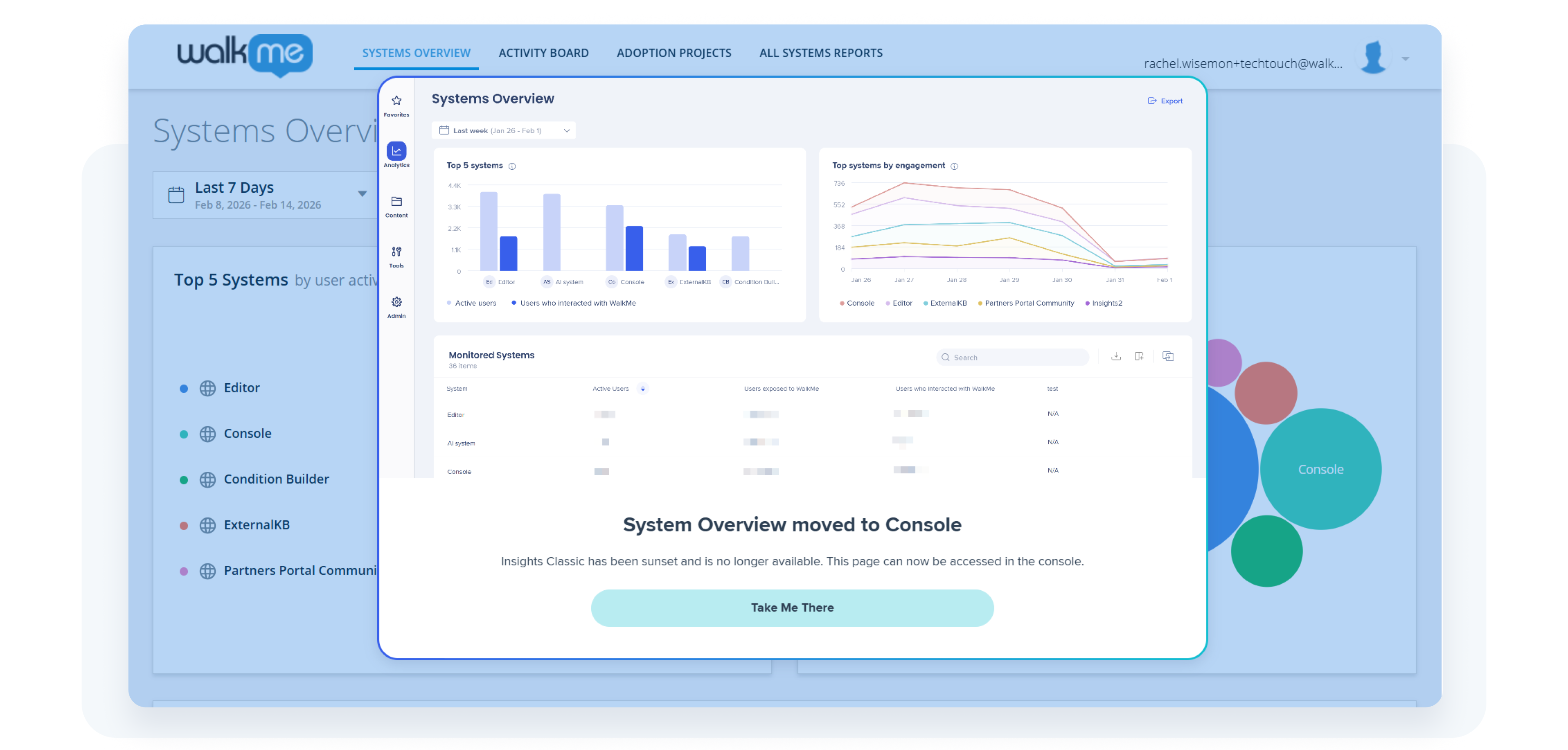
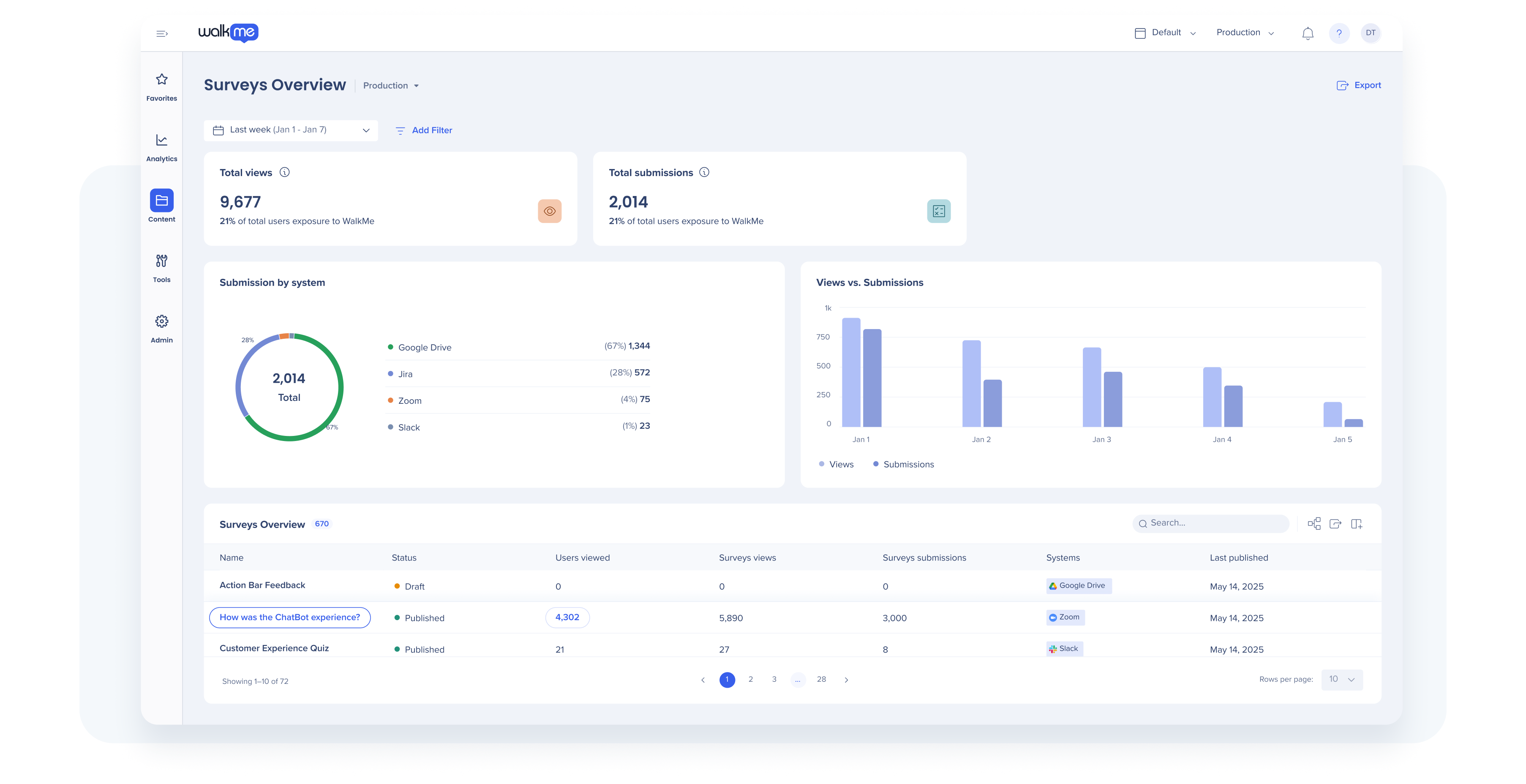
Insights – Completion of the migration to the WalkMe Console, expanded behavioral segments, and improved reporting for WalkMe Surveys.
WalkMe for SAP GUI – Enhancements to desktop guidance with more native triggers based on status bar messages and keyboard actions, and expanded condition checks for precise guidance.
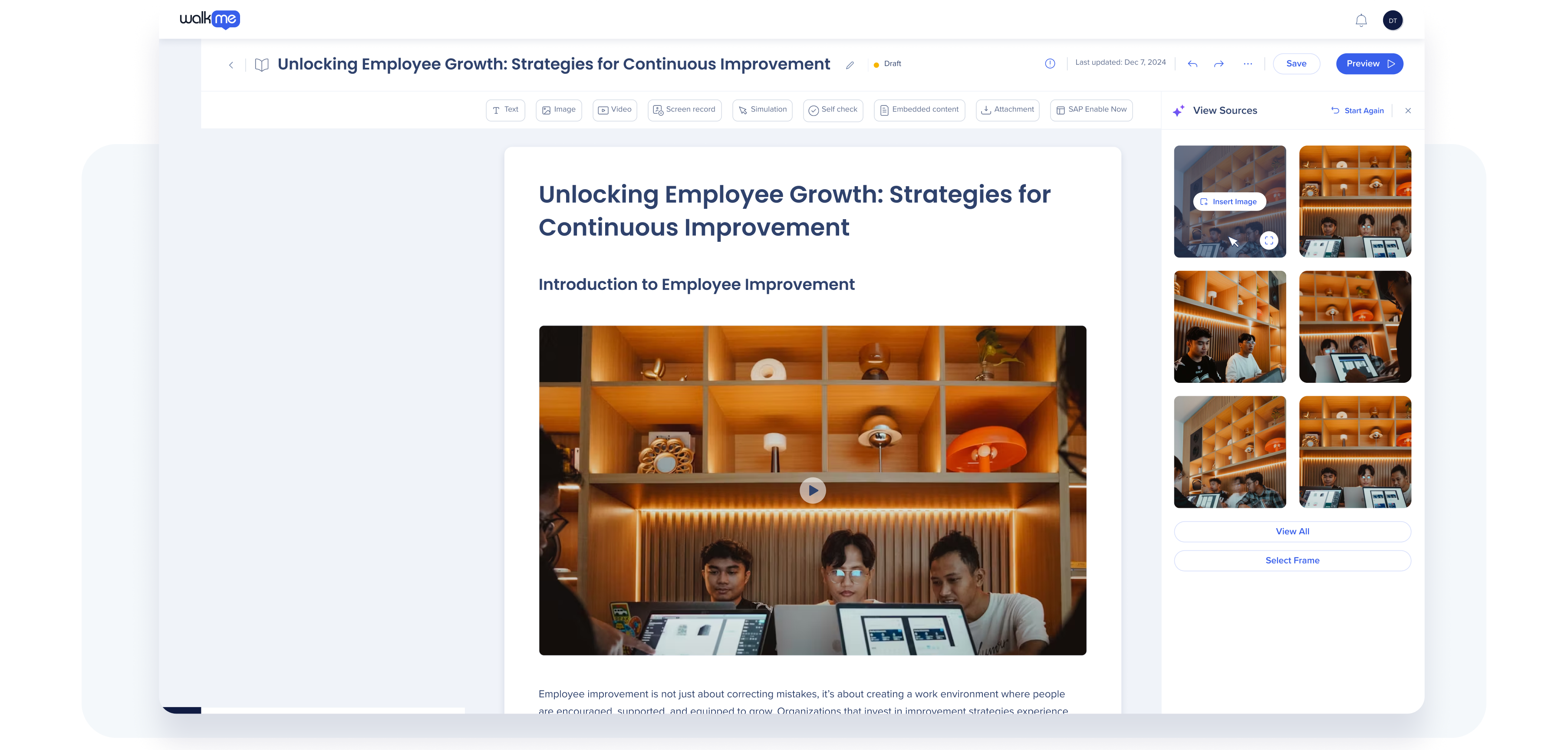
WalkMe Learning Arc – Greater control over AI-generated learning content, plus enhancements to desktop recording, image extraction, translations, and learner validation.
💡The lightbulb icon throughout indicates Product updates inspired by your ideas and feedback! Thank you and keep the suggestions coming.
Now available to every customer, starting without AI
What is the Action Bar?
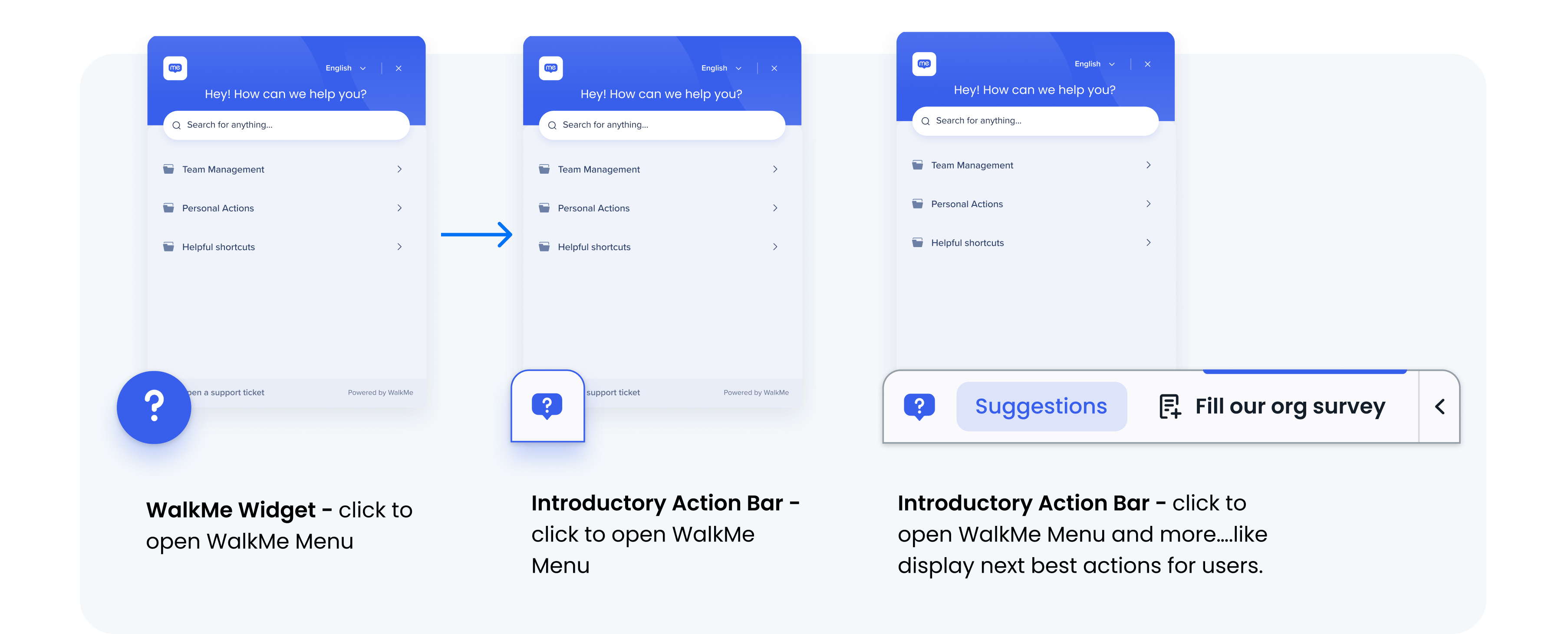
The Action Bar is an evolution of the WalkMe widget. It's a persistent, on-screen overlay that proactively offers WalkMe guidance and actions to users directly in their flow of work. Instead of only opening the WalkMe Menu, the Action Bar expands to surface guidance and appropriate next actions everywhere in a more proactive and configurable way.
In Q1 '26, every customer gets access to an introductory (non-AI) version of the Action Bar, with the option to enable AI-powered capabilities when ready.
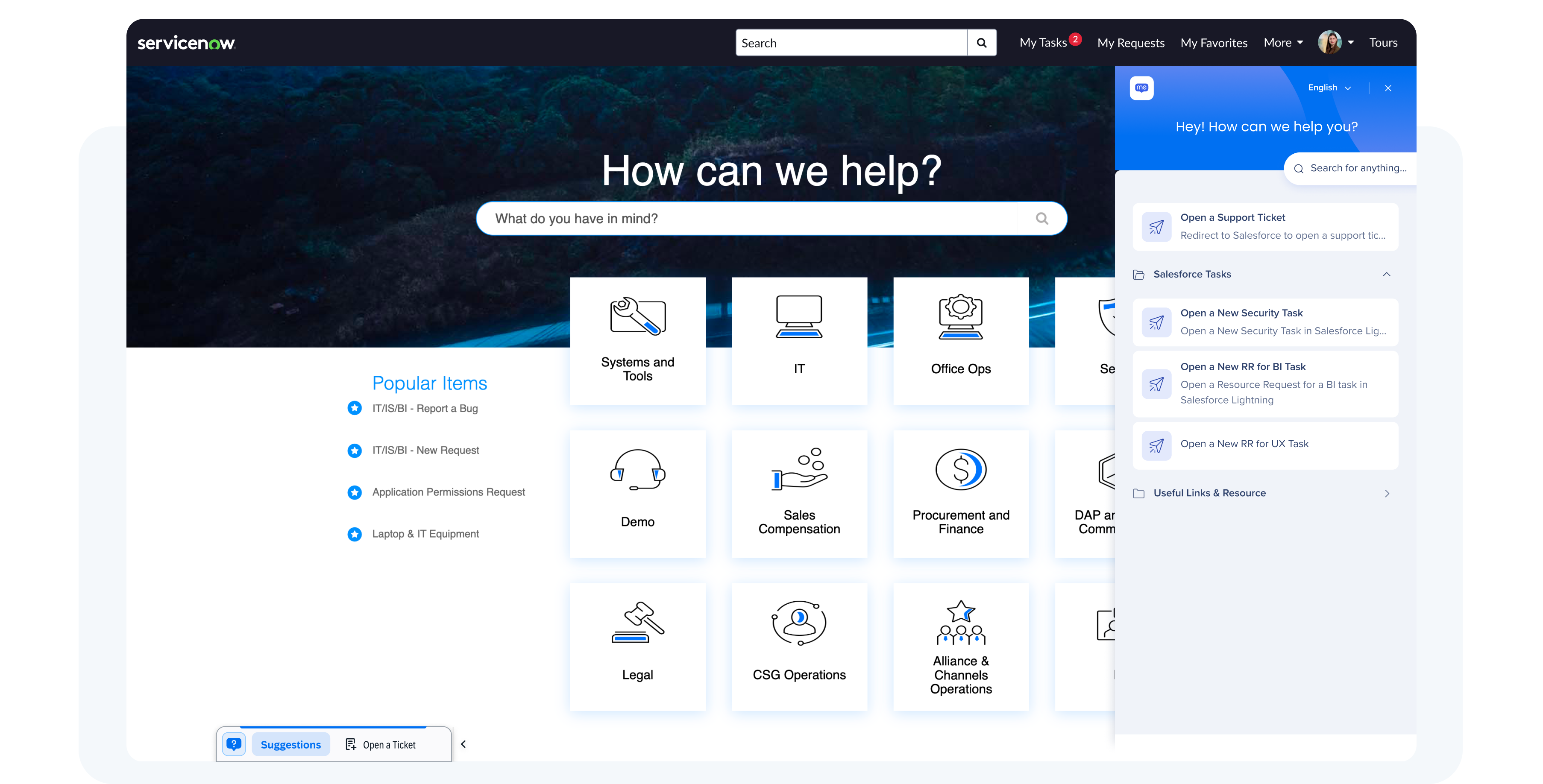
Introductory Action Bar (available to all customers)💡
Build in the editor to deliver the right launcher in each system
Display launchers based on system, page, segment, or rule conditions
Pin launchers to the Action Bar so they're always available to users
Allow end users to move or hide the Action Bar
And, of course, open the WalkMe Menu
Why it matters
Even without AI, this changes how guidance shows up. Instead of waiting for users to open a menu, or having to pin it to suboptimal locations within a UI, relevant help is nudged and made visible when and where it's needed in a non-intrusive but proactive manner. This will serve to increase the visibility and engagement of all the helpful resources you invest time and energy developing.
Example use case
A finance team pins a “Finance Policies and Contacts” launcher in the Action Bar so it is always available as a reference. Separately, a “Month-end close checklist” launcher appears automatically closer to the end of the calendar month, ensuring close-specific guidance is visible only when relevant.
Data center availability
US | EU | Canada | FedRAMP | SAP
Vertical positioning
What it does
End users can now position the Action Bar vertically on either side of the screen, in addition to horizontally at the bottom.
Why it matters
Guidance fits more naturally into different workflows and screen layouts without blocking critical UI elements.
Note: The WalkMe Widget will be deprecated by the end of the year. We recommend moving to this new and improved version as soon as possible.
AI-Enabled Action Bar
When AI is enabled, the Action Bar delivers more dynamic, context-aware assistance. This release brings a set of new AI-enabled features for the Action Bar. For more information on all the existing AI-enabled capabilities, visit the Action Bar support article located here.
AI-Selected Actions for Launchers
What it does
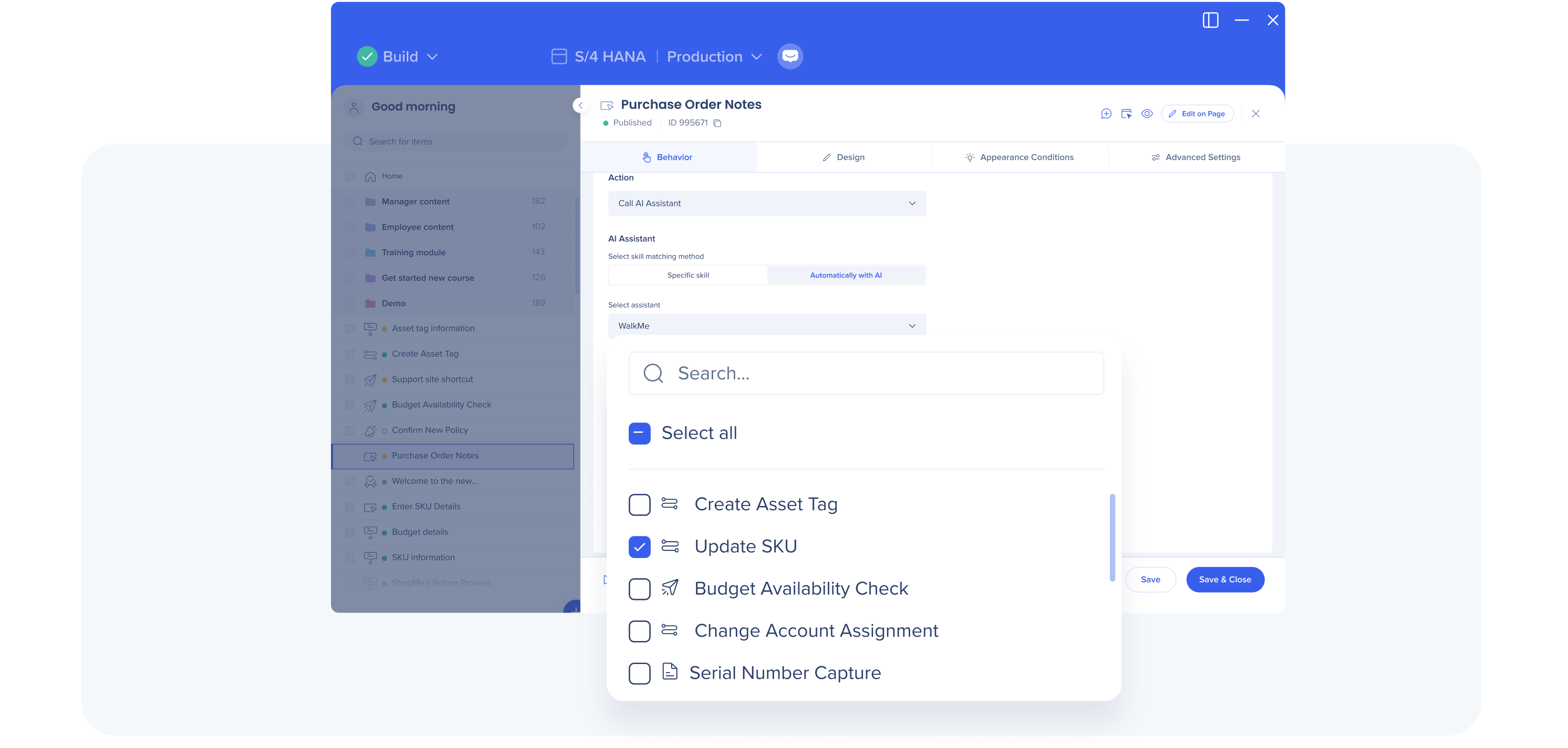
Builders can connect multiple actions to a single launcher. The launcher itself remains the same, but at runtime, WalkMe's AI evaluates the user's on-screen context and selects the most relevant action from a predefined list set by the builder — or offers multiple actions if configured to.
Builders configure launcher behavior in the editor.Users see the relevant next action selected by WalkMe AI at runtime, based on current context.
Why it matters
To provide dynamic guidance that adapts based on screen-based context, builders no longer need to create and maintain multiple launchers for the same moment. One launcher can support multiple outcomes, with AI selecting the appropriate action at runtime.
Example use case
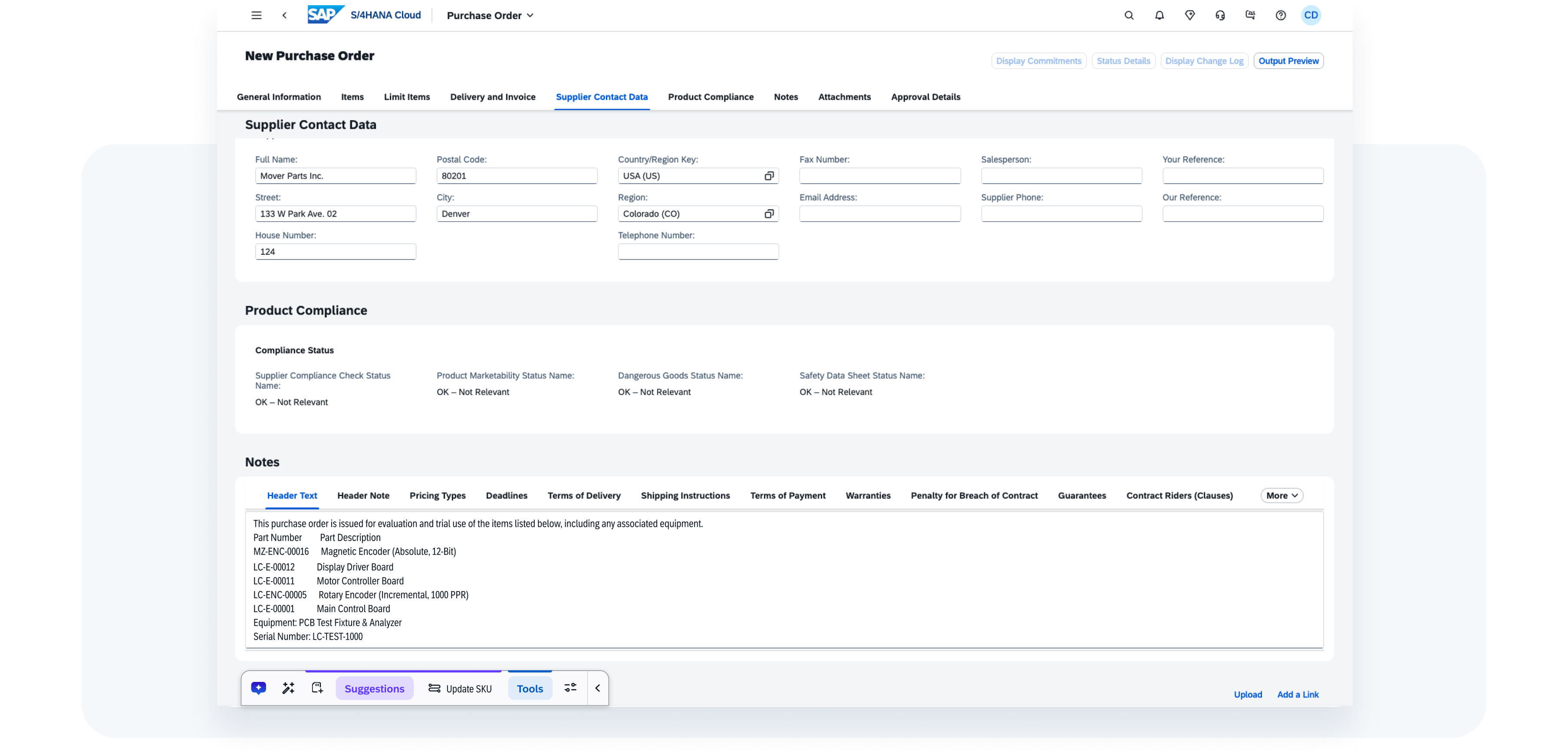
A buyer opens a purchase order that contains notes about budget checks, SKU updates, and asset tagging. Instead of creating separate launchers for each scenario, the builder creates one launcher mapped to all relevant actions. At runtime, WalkMe's AI scans the page and surfaces the most relevant action — such as Update SKU — or multiple actions if needed.
Why it matters
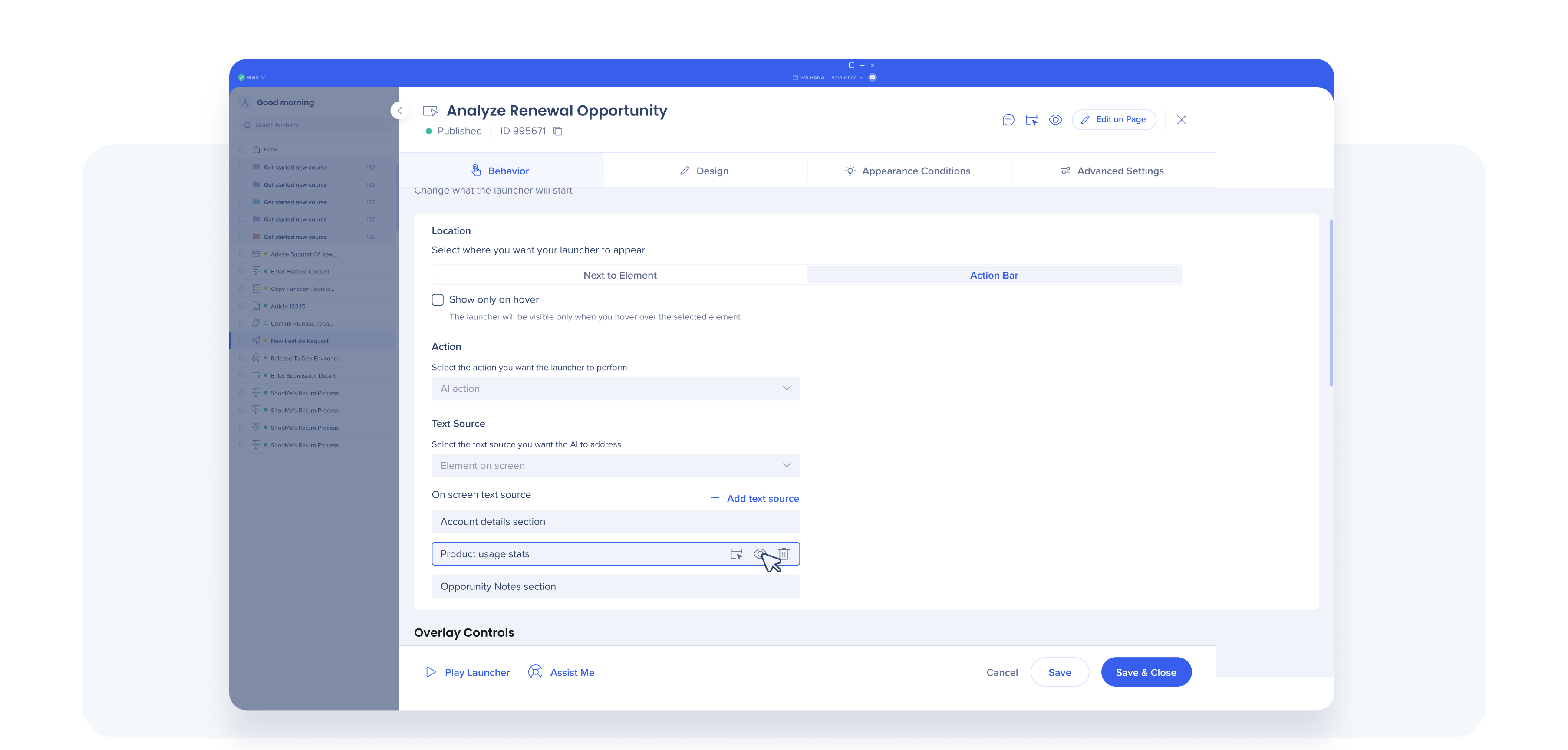
Previously, you had to choose between scanning the entire page (which could add noise) or selecting a single field (which could miss important context). Multiple text sources let builders select several on-screen text sources so AI responses are more accurate without scanning irrelevant content.
Example use case
While a user is updating an opportunity in a CRM system, you may want to focus AI on the account details section, product usage statistics, and opportunity notes when generating best next steps, like “Recommend usage-based pricing”. Instead of scanning the entire page or relying on just one field, you can select specific inputs so the AI has the right context without pulling in unrelated information.
Data center availability
US | EU | SAP
Dedicated Permissions for AI Content Creation
What it does
A new permission setting allows you to separate AI guidance creation from standard building permissions.
Why it matters
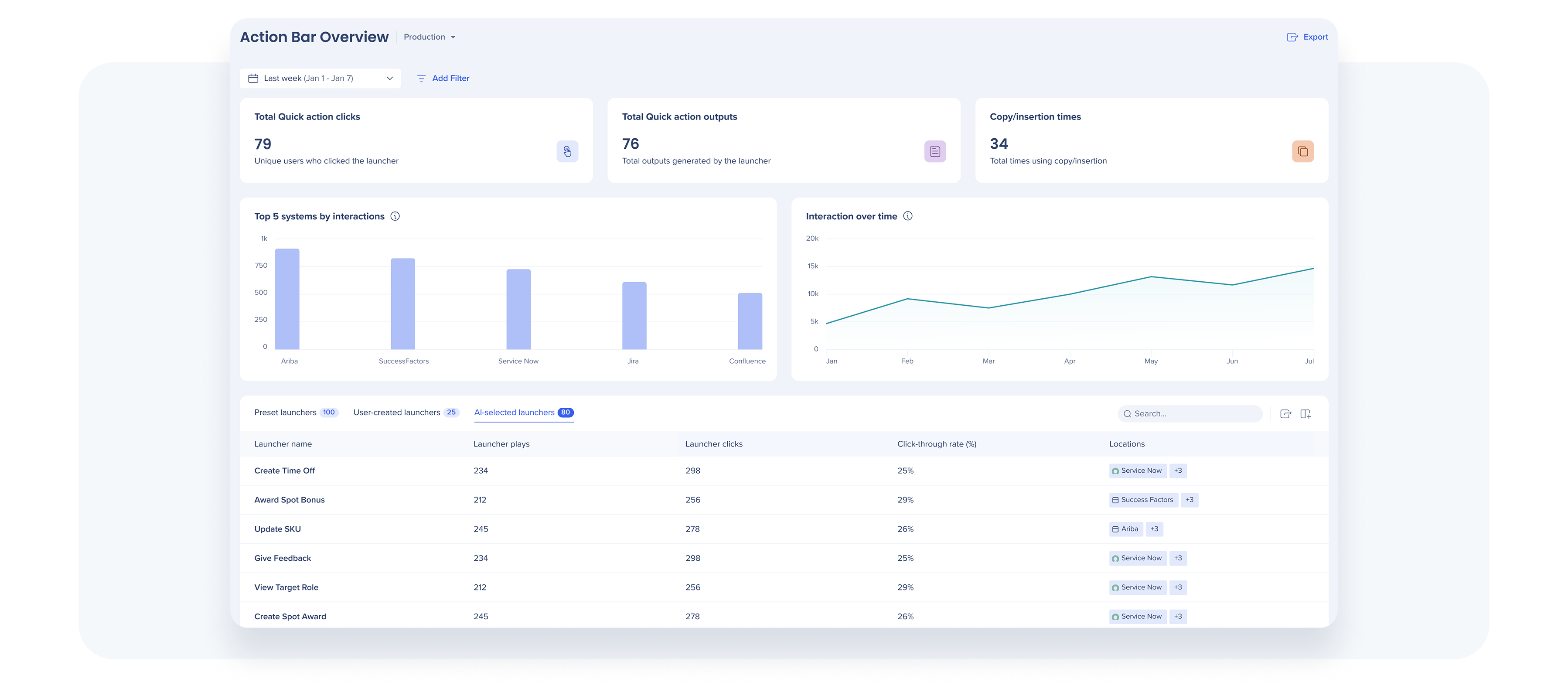
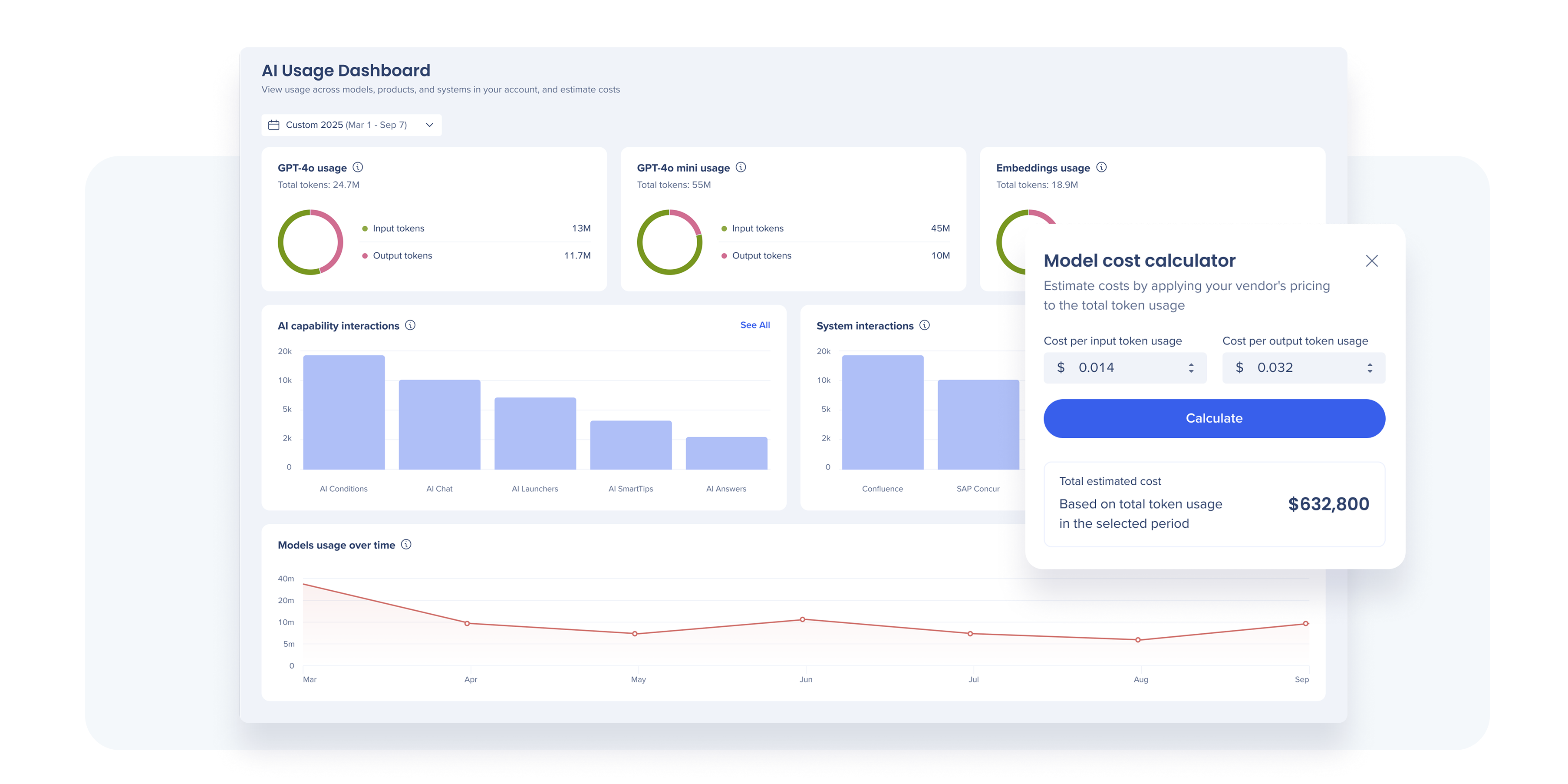
You can see how often actions and skills are surfaced and engaged with, and which systems see the most interaction — helping you understand where to expand or refine your Action Bar configurations.
Insights Updates: Clearer Analysis, Built to Scale
Insights Migration to the WalkMe Console (Complete)
What changed
All Insights functionality is now available in the WalkMe Console. Insights Classic is no longer accessible.
Why it matters You get a single, consistent analytics experience alongside the rest of the WalkMe platform in one centralized location, with improved performance and faster access to new capabilities.
What changed
Behavioral segments were not only moved to the Console, but also expanded in functionality. Now in the Console you can:
See segment changes reflected in near real time
Create up to 10 behavioral segments per system, up from 5
Include up to 50,000 users per segment, up from 10,000
Access your existing segments migrated from Insights Classic
Why it matters
Supports larger deployments and more precise targeting without requiring complex workarounds or segment consolidation.
Data center availability
US | EU | Canada | FedRAMP | SAP
Customer-Requested Features Now Available in the Console💡
Several commonly used Insights features from Insights Classic are now available in the Console, so you can continue using the analytics you rely on while working in the newer Console experience. These include:
Data center availability
US | EU | Canada | FedRAMP | SAP
Survey Analytics: Expanded Question Support and Pivoted Reporting💡
What changed
Analytics now support new Boolean and custom rating question types.
A new question-based (pivoted) report shows response totals and percentages for each survey question.
Why it matters
You can now analyze Yes/No and custom rating questions. The new report groups results by question, so you can quickly see how users answered each question and compare response distribution across segments, time periods, or systems.
Example use case After launching a new Smart Walk-Thru, you include a Boolean (Yes/No) question asking whether it was helpful. In Insights, you can immediately see the percentage of users who selected Yes or No, giving you a quick indication of overall sentiment. You can then compare results across segments to identify where the experience may need refinement — without exporting or restructuring data.
Data center availability
US | EU | Canada | FedRAMP | SAP
WalkMe for SAP GUI: More Native, Better-Timed Guidance
Achieving closer parity to web-based guidance, these updates focus on aligning desktop guidance more closely with how SAP GUI users work, so it appears at the right moment based on user action, without interrupting the flow. They build on how SAP users actually work — responding to keyboard shortcuts and status messages.
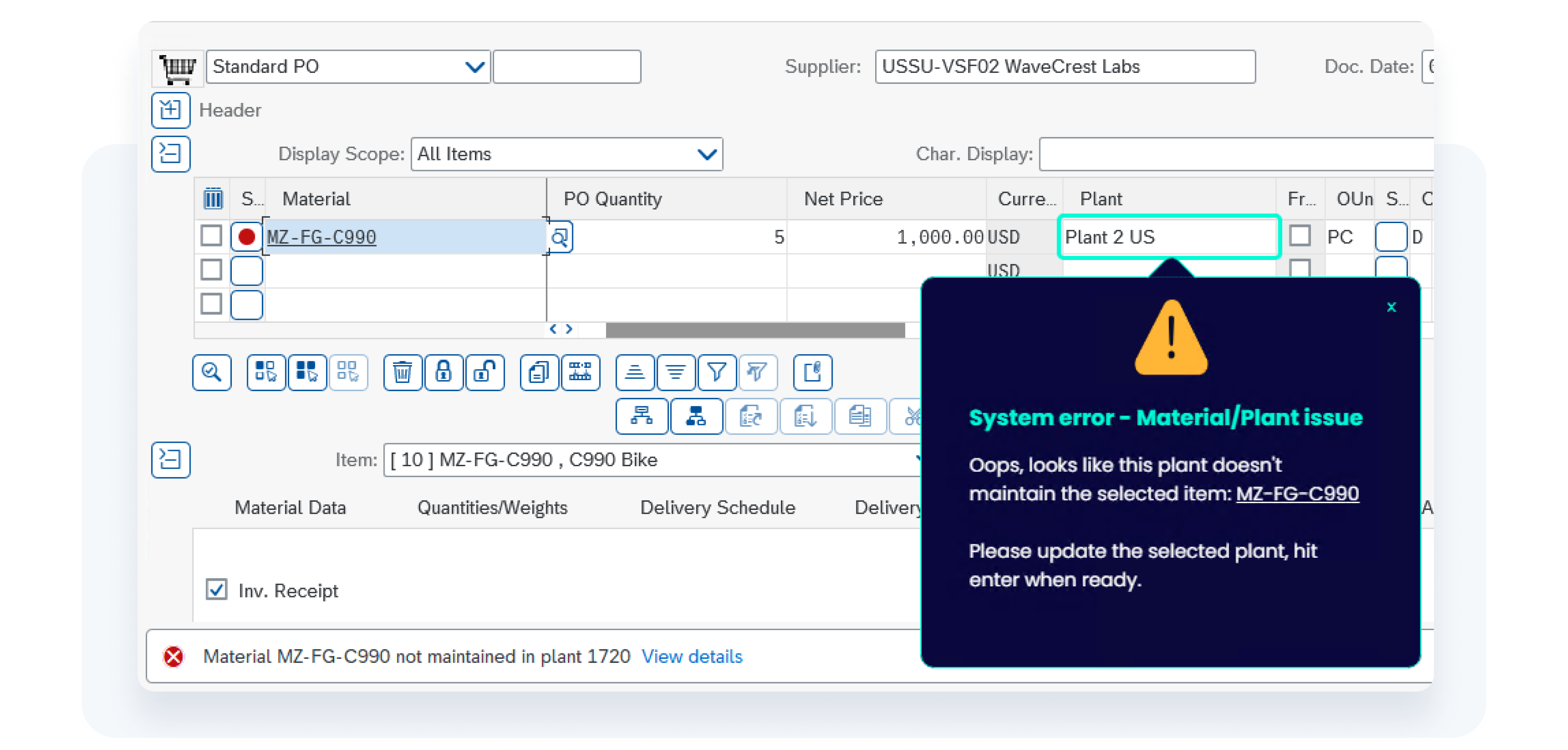
Why it matters Instead of only displaying an error message, WalkMe guides users directly to the relevant field to resolve the issue, reducing repeated mistakes and support tickets.
Example use case If a user enters an invalid plant while creating a Purchase Order, SAP displays an error in the status bar. WalkMe can detect that specific message and guide the user directly to the relevant field to correct it.
Data center availability
US | EU | Canada | FedRAMP | SAP** **Available with WalkMe Premium for S/4HANA package.
Keyboard-Based Triggers
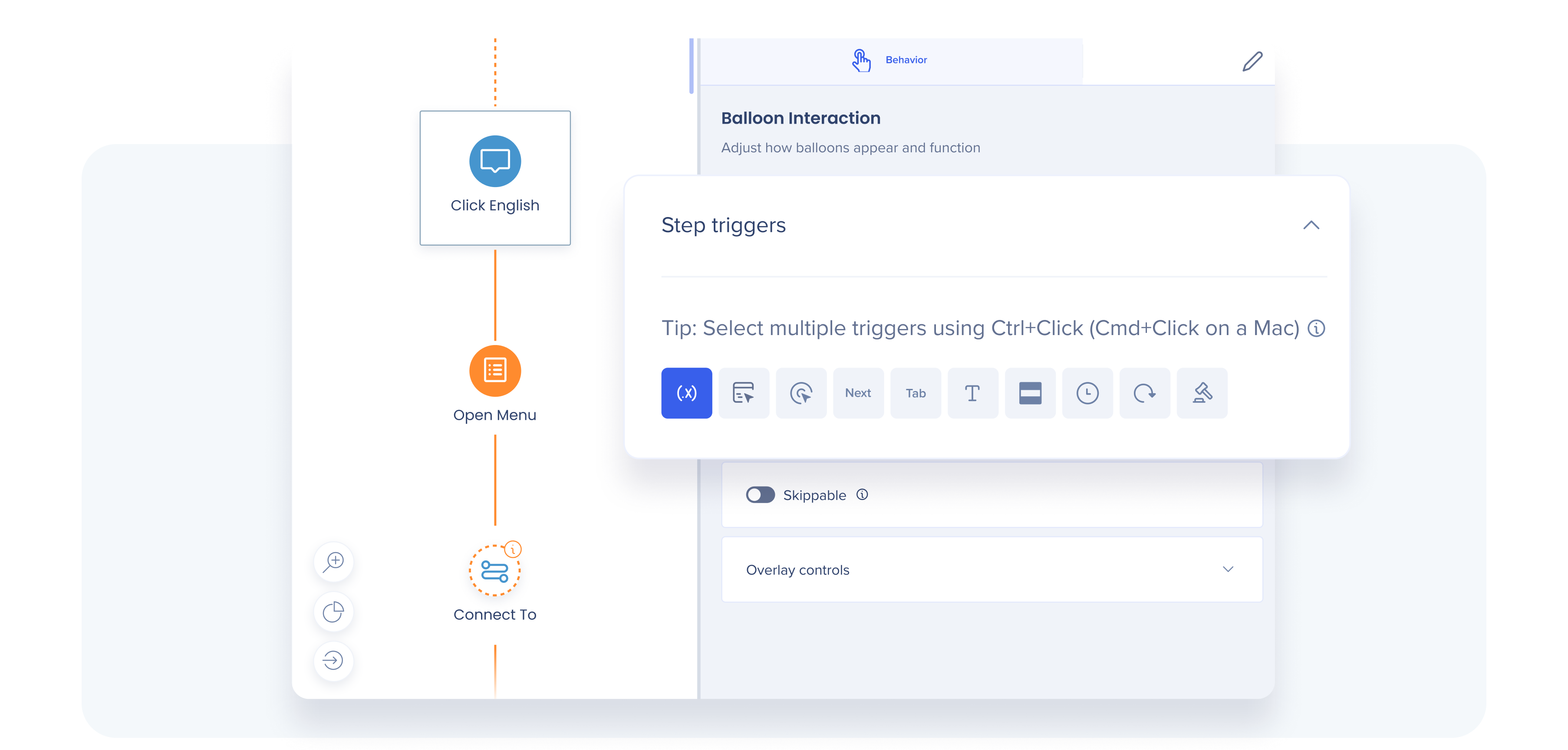
What it does Guidance can now trigger based on SAP keyboard actions. When the cursor is in the SAP field associated with the current step and the user presses 'Tab', the Smart Walk-Thru advances to the next step. A Delay trigger is also available to launch guidance after a defined time interval.
Why it matters Many SAP GUI users rely heavily on keyboard navigation. Supporting Tab-based progression allows guidance to align with how users naturally move between fields, without requiring mouse interaction or interrupting the native SAP experience.
Data center availability
US | EU | Canada | FedRAMP | SAP** **Available with WalkMe Premium for S/4HANA package.
Expanded Condition Checks
What it does Additional rules-based conditions give more granular control over when SAP GUI guidance appears, including checks tied to specific on-screen elements and user segments.
Why it matters Trigger guidance only when specific SAP conditions are met — for example, when a required field is empty or a defined segment applies. This reduces unnecessary pop-ups and ensures guidance appears only when it is relevant.
Data center availability
US | EU | Canada | FedRAMP | SAP** **Available with WalkMe Premium for S/4HANA package.
WalkMe Learning Arc: Maturing How Learning is Created and Reinforced
Last quarter, we launched our new digital learning product. It uses AI to accelerate content authoring and brings learning directly into the flow of work. You can learn more about it here.
Q1 '26 focuses on strengthening governance, accuracy of AI authoring, and learner confidence as WalkMe Learning Arc evolves beyond its initial launch.
Authoring Updates: Content Creation you can Govern and Trust💡
Precision in AI Authoring
What it does
When AI generates or updates learning content, you control exactly which uploaded sources it references and how strictly it adheres to them. You can configure it so the AI is only using approved sources and not general LLMs. You can also limit the AI to specific sections of an approved file instead of the entire document, and review which source was used to generate each lesson or section.
Why it matters
Ensures every piece of AI-generated learning content stays grounded in approved, accurate source material - protecting quality, consistency, and compliance. By controlling exactly what the AI can reference and auditing which sources were used, you maintain full transparency and governance while still accelerating learning content creation.
Example use case
A compliance team updates a specific section of a policy document with new regulatory language. Instead of recreating the full course, the author selects the exact lesson that needs revision and instructs the AI to reference only the updated section of the approved policy file. The AI updates that specific lesson while remaining grounded in the designated source, without modifying the rest of the course.
Why it matters
You can create realistic, step-by-step simulations of desktop-based workflows — including cross-application processes such as SAP GUI — enabling learners to practice how work actually happens.
Image Extraction
What it does Automatically extracts relevant images from uploaded PDFs and videos and inserts them into learning content during the authoring process. Authors can review the extracted images, add captions, and refine context before publishing.
Why it matters
Reduces manual screenshot capture and editing while making lessons more visual and easier to follow. Authors can enrich content faster while maintaining control over how visuals are presented.
Structured Translation Workflows
What it does
Authors can generate full translated course drafts with AI and revise/refine with manual editorial controls. The system follows a parent-child inheritance model, where the source language (parent) dictates the layout and structure, ensuring consistency across all translated versions.
For SAP environments, the system utilizes the SAP Translation Service, while non-SAP environments use AWS.
Why it matters
Ensures consistency and accuracy when scaling learning globally.
Learner Updates: Additional Simulation Mode
Simulation Test Mode
What it does
Learners can prove proficiency in a simulated environment that evaluates performance and provides immediate feedback — without impacting live systems or data.
Why it matters
Organizations can confirm readiness before go-live or granting access to production environments, reducing errors in high-stakes or regulated processes.
Example use case
Before granting access to production finance systems, new users must successfully complete a simulation in Test Mode to demonstrate sufficient understanding.
Data center availability
US | EU | Canada* | FedRAMP* | SAP *Excludes AI capabilities.
Watch the Q1 '26 Release Webinar
View our product leaders walkthrough the Q1 '26 Release. You'll see real examples, demos, and how these new capabilities support adoption and learning at scale.
All product updates will be available starting February 23, 2026. Rest assured, your current implementation will remain unaffected by the updates until you publish again.
For a complete list of updates—including minor enhancements and fixes—visit our Release Notes and filter by your Data Center to view details specific to your environment.
For customers that run WalkMe on their local servers, reach out to your Customer Success Manager or WalkMe contact to learn how you can gain access to these new features.