Poor data quality doesn't just create internal headaches -it has costly implications. Inaccurate, incomplete, or non-compliant data leads to operational delays, missed business opportunities, and in regulated industries, serious compliance risks.
WalkMe can change that. This guide shows how to use WalkMe to reduce data errors, ensure compliance, and improve the accuracy of information entered across your systems. We'll walk through each step using our 4 Ps framework for business value alignment: Problem, Possible, Probable, and Provable.
Problem
What are the challenges and issues your business faces?
Despite investments in digital systems, many organizations struggle with poor data quality. Employees often work within complex, unintuitive workflows that lead to incorrect or incomplete data. Fixing these mistakes cost time and money; and in highly regulated industries, even minor mistakes can result in serious compliance violations.
Without the right support, employees will continue to make preventable mistakes, causing a ripple effect across your organization.
Possible
What should you focus on to address this problem, and how might you solve it?
Improving data integrity starts by minimizing the opportunity for error. With WalkMe, you can pinpoint where users struggle, guide them through high-risk workflows, validate inputs in real time, and automate complex steps to improve consistency and compliance.
To uncover where to focus your efforts, ask:
- Where are data-related support tickets or rework happening most often?
- Which forms have high abandonment rates or error rates?
- Where do compliance risks stem from incorrect or incomplete inputs?
- Are employees misusing generative AI tools in ways that could create problems?
Your answers will help uncover opportunities for WalkMe intervention. Continue reading for tactical guidance on how to address those opportunities.
Step 1: Identify Where Errors Happen
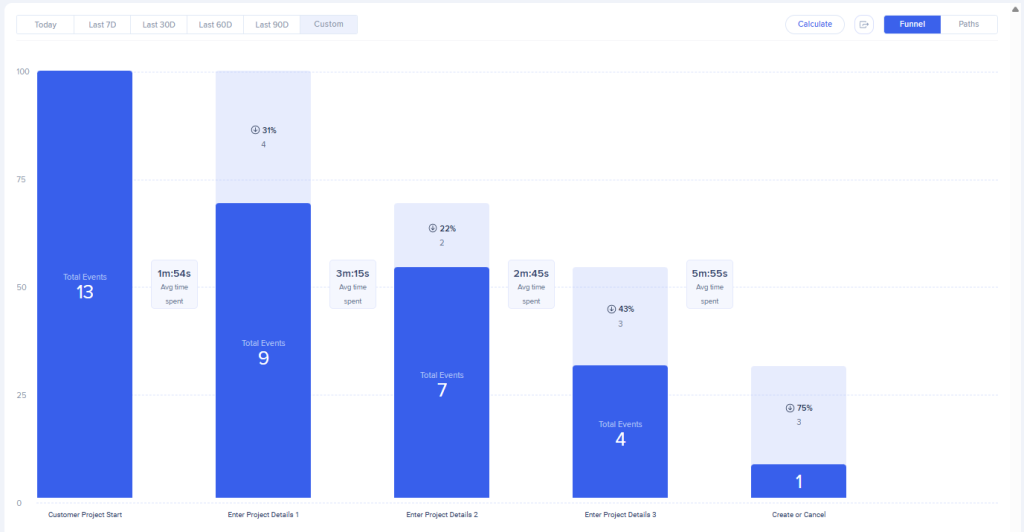
Start by identifying the workflows where poor data quality is a known issue. Work with SMEs to determine the “happy path” – the elements users should click and pages they should visit. Then, define those events using Tracked Events or Engaged Elements, and create a funnel in Flow Analytics to monitor how users move through the process from start to finish. As a best practice, we recommend setting up Tracked Events or Engaged Elements and collecting data for approximately 30 days to establish a baseline. Without baseline data, it becomes much more challenging to demonstrate the value and effectiveness of your content over time.
Your funnel will show you where users abandon a process or spend more time than expected. This data reveals not just where issues occur, but how common and severe they are.
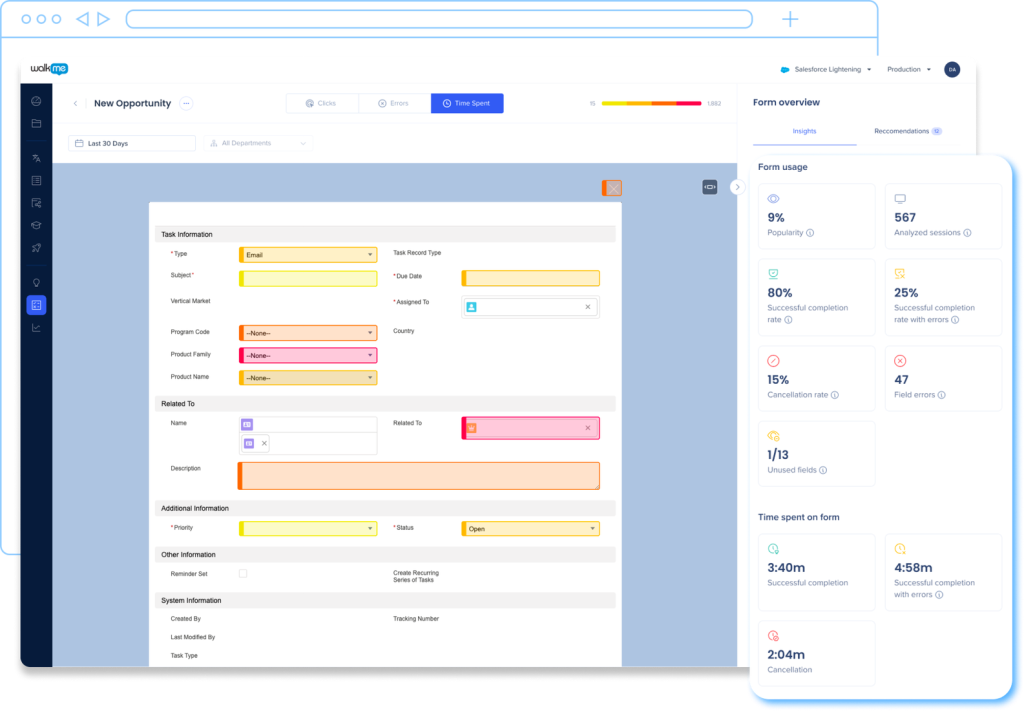
If you're working with a system supported by UI Intelligence, enable this feature to dig even deeper. UI Intelligence identifies high-traffic forms and highlights where users struggle, such as which fields generate the most errors, how long forms take to complete, and which fields users frequently skip. These insights help prioritize where WalkMe guidance and automation will have the biggest impact.
Step 2: Guide and Validate in the Flow
Once you've pinpointed where users make mistakes, implement targeted in-app support to prevent errors before they happen.
Use SmartTips to clarify formatting rules, validate inputs in real time, and offer inline instructions. These tips act as guardrails, helping users input data correctly without leaving the workflow. Validation SmartTips help maintain clean, accurate data by flagging formatting issues, like incorrect date or email formats, and ensure required fields aren't left blank. You can even pair Validation SmartTips with an invisible Launcher that prevents users from submitting incomplete forms.
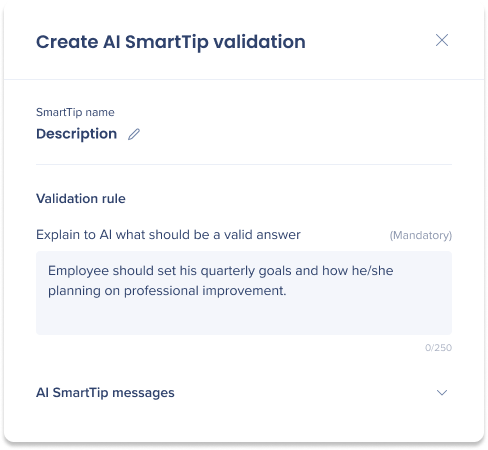
To improve data validation for open-text form fields, use AI SmartTips. AI SmartTips leverage generative AI to analyze user inputs and check whether they meet your validation criteria.
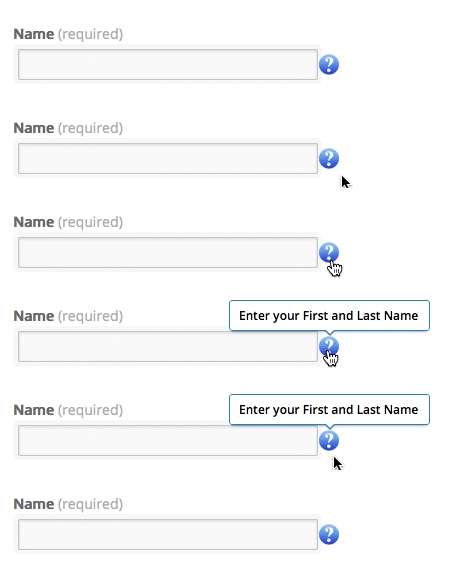
Guidance SmartTips offer users helpful context as they fill out forms, such as pre-filled templates or instructions, so users know exactly what type of information belongs in each field.
Support complex workflows with Smart Walk-Thrus
Use Smart Walk-Thrus with auto-play to automatically guide users through more complex processes where human error is likely. These are especially helpful for tasks that involve strict formatting, regulatory requirements, or dependencies between steps. For example, onboarding a new vendor in your ERP system, submitting a capital expense request, or entering sales contract data into a CRM often involves multiple fields and precise inputs. Smart Walk-Thrus give users the step-by-step guidance they need, minimizing skipped steps and confusion about what's required.
Add auto-steps to automate simple interactions like opening menus, clicking buttons, or navigating to the right screen. This minimizes skipped clicks and ensures consistency, especially in compliance-critical workflows like employee offboarding, legal document submission, or audit preparation.
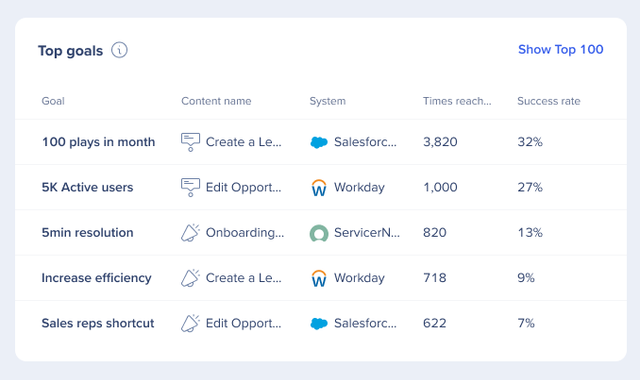
Assign Goals to each Smart Walk-Thru to track whether users complete the process successfully. This data can help you pinpoint where users get stuck, drop off, or make frequent corrections. Use these insights to review and improve both the Walk-Thru and the underlying process itself.
Surface key documents just in time
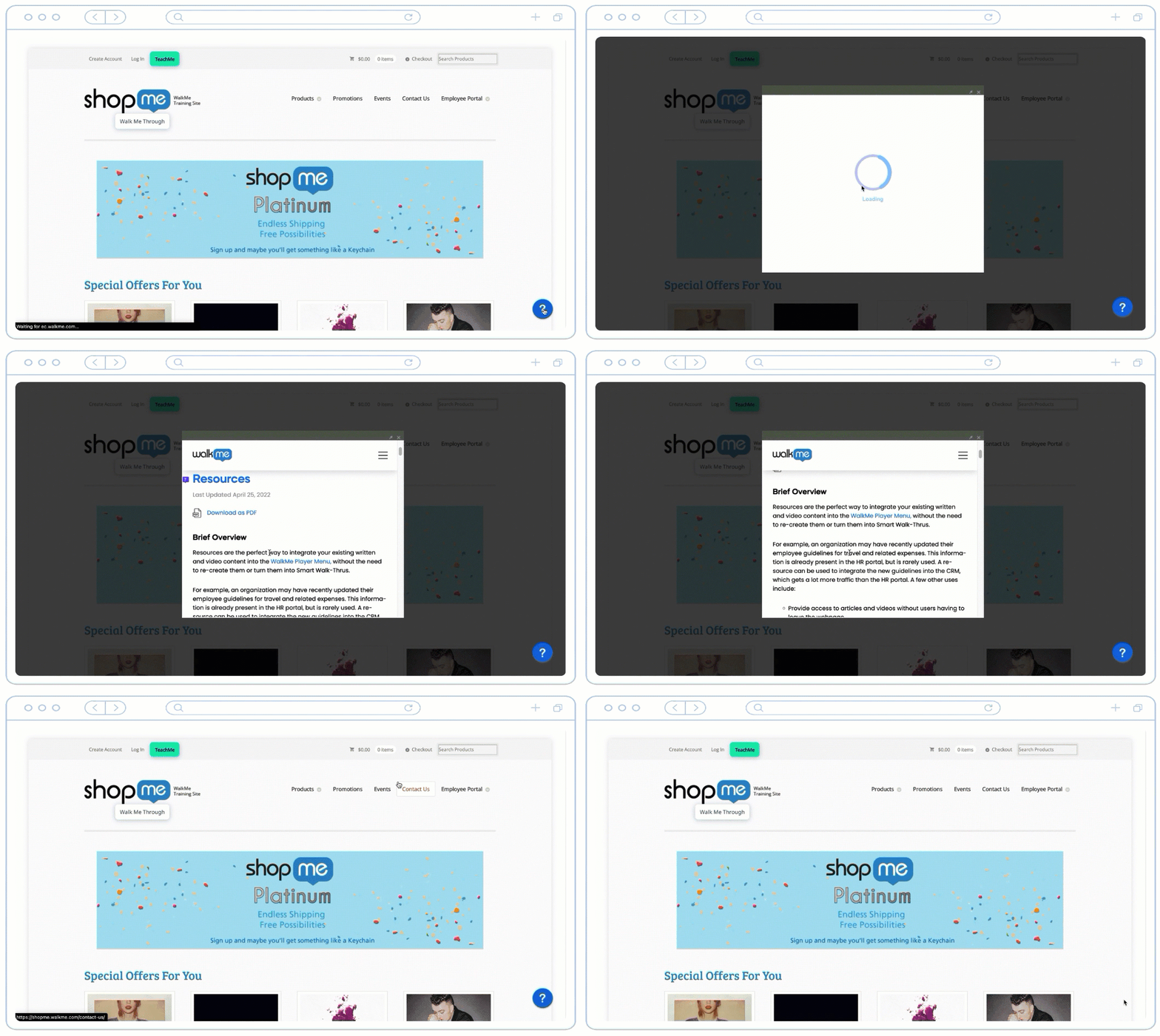
Enhance data integrity by pairing Resources with Launchers to deliver critical content at the moment it's needed. Resources let you include key documents, like policy manuals or compliance guidelines, and make them instantly accessible within the workflow via a Launcher. Launchers are clickable buttons you can place wherever users are most likely to need additional information. For example, if sales reps often pause to look up SKUs and discount policies while preparing a quote, a well-placed Launcher can surface the right documentation instantly without disrupting the flow of work.
Step 3: Control and Monitor AI Use
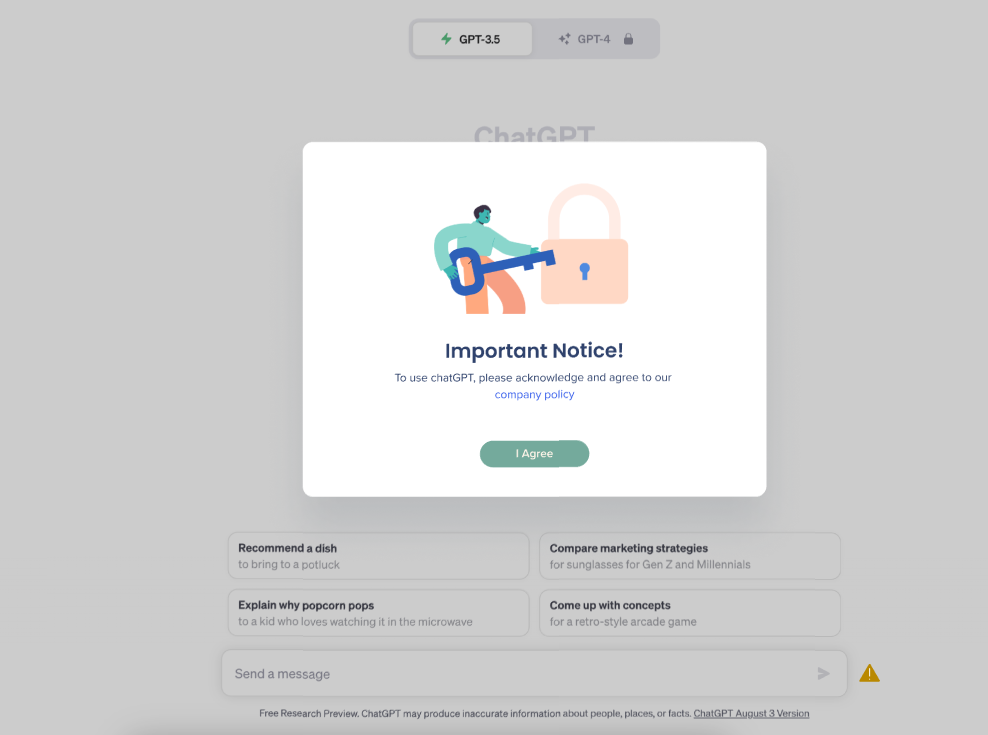
If your teams are integrating generative AI tools into daily workflows, oversight is essential. WalkMe Discovery's Shadow AI feature helps promote responsible use while also restricting access to non-approved tools. Many generative AI tools require access to sensitive company or customer data. Without oversight, that data could be stored, used, or shared in non-compliant ways.
Shadow AI lets you apply guardrails using WalkMe content like SmartTips, ShoutOuts, and surveys to remind users of company policies or block risky actions in real time. This level of oversight helps organizations embrace AI confidently, without compromising security or compliance.
Probable
What are the outcomes you can expect from your solution?
Now that you know what's possible and how to achieve it, your organization can expect meaningful improvements in data integrity and compliance:
- Improved data accuracy, as users are guided through error-prone workflows with real-time validation and contextual support
- Fewer compliance risks, thanks to proactive enforcement of data standards and visibility into how AI tools are used
- Faster process completion, as employees spend less time correcting mistakes or searching for clarification
- Reduced rework and support tickets, driven by clearer instructions and automated error prevention
- Increased audit readiness, with cleaner data and digital records that align with regulatory expectations
How WalkMe customers improved data integrity and compliance
- Smith+Nephew achieved a 70% improvement in data accuracy, along with an estimated 2.5 hours saved per week in support hours from just one solution.
- NEC decreased the time spent inputting Salesforce data by 20%.
- Origin saw a 70% drop in help desk tickets in a highly regulated environment.
Provable
How do you measure whether your solution achieved the desired outcomes?
At this stage, you'll measure the impact of your WalkMe solutions using both WalkMe data and broader business KPIs.
Good
Here are some low-effort ways to start gauging the effectiveness of your WalkMe content:
- In Insights, look at Total Interactions, Unique Users, and Goals to measure the effectiveness of your WalkMe content, and uncover whether users complete desired actions after interacting with your guidance flows.
- Use a survey at the end of a guidance flow to ask users if they found it helpful, and collect regular employee feedback with an eNPS survey.
- Tag your content to workflows, then create custom dashboards to view the performance of all your Change Management content in one place.
- Use WalkMe's pre-built Engagement by Item report to view engagement metrics and estimate the value of your change management solutions. Analyze this data to develop your own impact calculation.
- For example: Number of content plays for your change management solutions x assumed time saved per process x average hourly wage.
- Since this approach can sometimes overestimate results, consider assuming that WalkMe contributes to 10% of the total savings. Align with your stakeholders to confirm the assumptions that make sense for your business.
Better
Follow these steps to get deeper insights about user behavior:
- Enable DXA (Digital Experience Analytics), then generate Engaged Elements or Tracked Events to create a baseline of how users engage with relevant processes before deploying WalkMe solutions. This helps you track process adoption and completion before and after deploying WalkMe.
- Use Flow Analytics and Flow Comparison to see how engagement and conversion have improved relative to your initial baseline data. This helps you compare the drop-off rates and measure time saved before and after adding WalkMe guidance.
- One example calculation you can use is Productivity Savings = (Time before WalkMe – Time with WalkMe) × Hourly salary
- For supported applications, leverage UI Intelligence to track improvements in form usage, such as reduced time spent and lower error rates.
Best
Use these best-in-class methods to truly understand the business impact of your WalkMe solution:
The best approach is to combine WalkMe data with your own business data. You can connect WalkMe data with your organization's business systems through a data integration. WalkMe supports both outgoing data integrations and incoming data integrations, enabling you to analyze WalkMe's influence alongside your own KPIs and business outcomes. By integrating WalkMe data with your core business metrics, you can clearly demonstrate measurable value and ROI across your organization.
Consider connecting your WalkMe data with:
- Service management tools (e.g., ServiceNow, Zendesk, Jira Service Management) to measure reductions in internal support requests or rework related to process errors.
- ERP platforms to quantify efficiency gains in operational processes such as purchase orders, expense submissions, or financial approvals.
- HR or HCM systems to correlate WalkMe engagement with improvements in employee process completion time, HR data accuracy, and compliance training completion.
- CRM systems to measure how WalkMe guidance influences data quality, sales process adherence, and deal cycle length.
Even if you don't connect your WalkMe data with your business data via an integration, you can look at things like ticket deflection and productivity gains before and after WalkMe to correlate how your solutions influenced the outcomes that matter to your business.
ROI: Reducing Data Errors in a CRM Workflow
Let's say your organization relies heavily on CRM data, but due to inconsistent data entry, reps frequently leave out required fields or input information incorrectly, leading to inaccurate reports, poor automation outcomes, and time-consuming manual corrections.
Each month, the sales operations team corrects an average of 500 data errors, with each one taking 10 minutes to identify, verify, and fix. That's 5,000 minutes (or ~83 hours) per month spent on rework.
You implement a WalkMe solution that includes:
- SmartTips for real-time field validation (e.g., proper date formats, required custom fields).
- Smart Walk-Thrus for guided opportunity creation, ensuring reps follow required sequences and don't skip critical steps.
- UI Intelligence to identify the highest-error fields and prioritize where to place interventions.
After deployment, error rates drop by 60%, reducing rework by 300 errors/month, or 50 hours of manual cleanup. Assuming the average wage for sales operations is $50/hour, that translates to:
50 hours × $50/hour = $2,500/month
$2,500 × 12 = $30,000 annually in avoided rework
This doesn't just save operational time; it also improves reporting accuracy, increases rep trust in the system, and reduces compliance risk in audit-sensitive industries.
Additional Resources
Explore role-based learning paths
Check out our role-based certification courses for hands-on experience with WalkMe.
Builder:
Project Lead:
Program Manager:


