Support tickets are one of the most visible and expensive symptoms of friction in digital experiences. Whether your end users are customers or employees, the result of digital friction is the same: increased support load, slower response times, and higher operational costs.
WalkMe can change that. This guide shows how to use WalkMe to reduce support tickets, shorten resolution times, and proactively solve problems before they reach your support team. We'll walk through each step using our 4 Ps framework for business value alignment: Problem, Possible, Probable, and Provable.
Problem
What are the challenges and issues your users face?
When users experience friction, your support team feels it too. When they struggle to complete a process or navigate your digital systems, they turn to support. And when site downtime or known issues aren't communicated properly, ticket volume swells while user trust erodes.
The result: overburdened support teams, slower resolution times, and frustrated users. Without in-product interventions, support teams waste time reacting instead of operating strategically.
Possible
What should you focus on to address this problem, and how might you solve it?
To identify what's possible, consult with your support team. Ask them where users make the most errors and which steps cause the most frustration. Look for opportunities to guide users through complex processes, automate common actions, and answer questions before they're asked.
Work with your support team to answer these questions:
- What recurring support tickets or shadow processes point to friction in the digital experience?
- Which systems or workflows are the most frustrating or time consuming for users?
- Where do users often get stuck?
- Are there opportunities to reduce clicks, automate steps, or guide users more efficiently?
- Which user groups would benefit most from real-time guidance or task automation?
Use your answers to prioritize what to build with WalkMe. By guiding users through complex flows, validating inputs in real time, and proactively communicating known system issues, your solution can help prevent tickets before they're submitted. Continue reading for tactical guidance on how to tackle these problems.
Step 1: Identify Friction Points
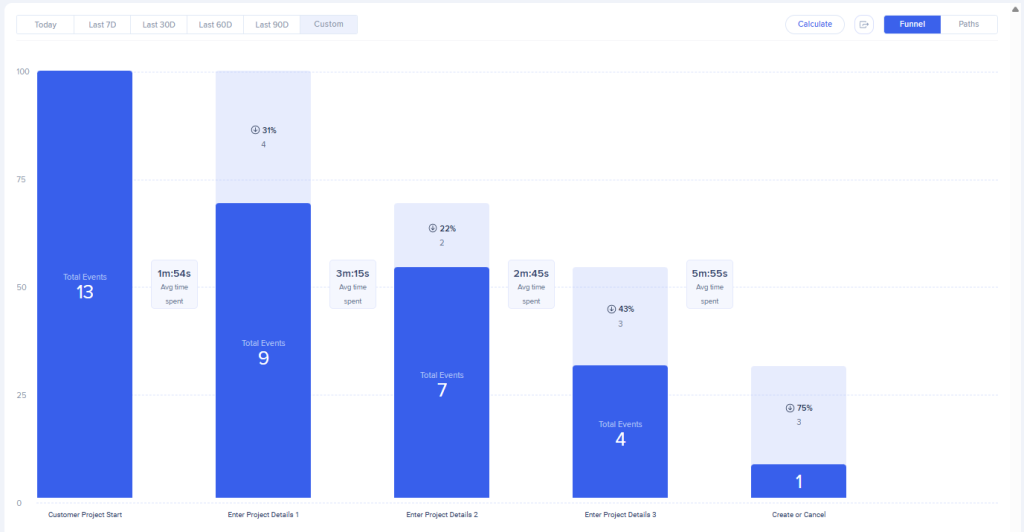
Begin by using WalkMe Insights to pinpoint where digital friction triggers the most support tickets. For both employee and customer experiences, track high-traffic workflows using Tracked Events or Engaged Elements, then create a funnel in Flow Analytics that tracks the workflow from start to finish. As a best practice, we recommend setting up Tracked Events or Engaged Elements and collecting data for approximately 30 days to establish a baseline. Without baseline data, it becomes challenging to demonstrate the value and effectiveness of your content over time. As users interact with these workflows, your funnel will identify where they struggle. Look for drop-offs: steps where users abandon a process or spend more time than expected. These behaviors often indicate confusion or errors that lead to support ticket creation.
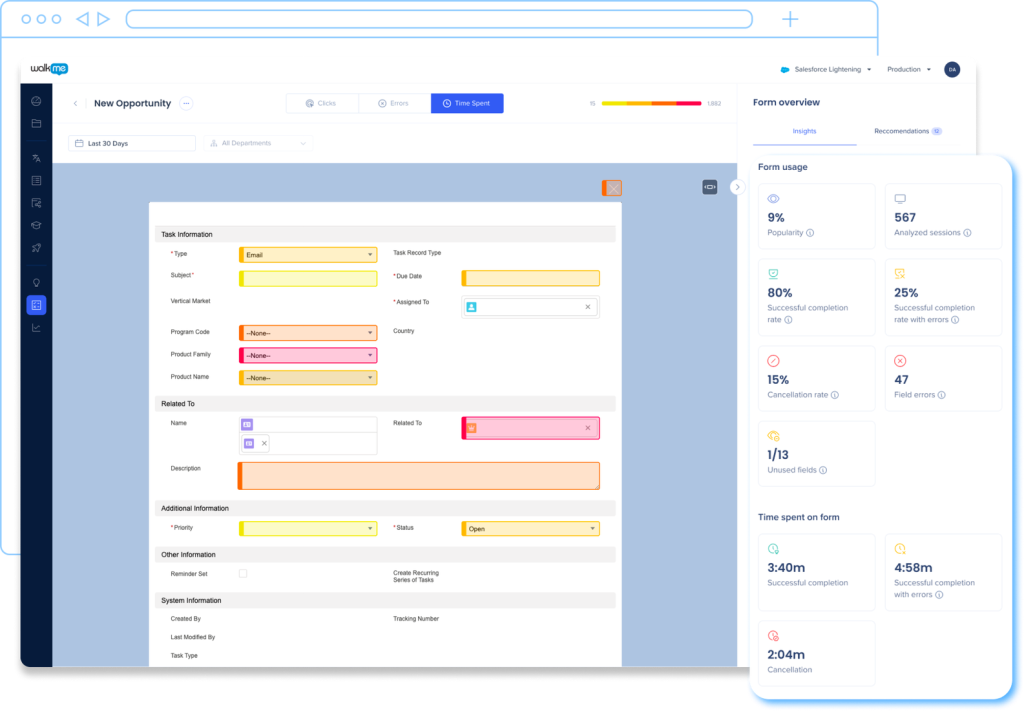
If you use an employee-facing system supported by UI Intelligence, enable this feature to gain even deeper insights. UI Intelligence identifies high-traffic forms and highlights where users struggle; you'll see which fields generate the most errors, how long forms take to complete, and which fields users frequently skip. These insights help you prioritize where WalkMe guidance and automation will have the biggest impact.
Step 2: Implement In-App Guidance and Validation
Once you know where users are struggling, deploy WalkMe guidance directly into those workflows.
Support complex workflows with Smart Walk-Thrus
Use Smart Walk-Thrus to guide users step-by-step through complex or error-prone processes in your product or employee systems. Smart Walk-Thrus highlight exactly where users need to click and what actions to take, helping reduce errors, rework, and support requests.
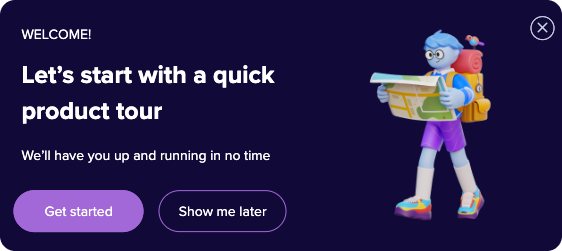
Consider why users might experience friction, and design your Smart Walk-Thru accordingly. Is this a high-volume workflow that requires users to take repeat actions? Add Auto-Steps to eliminate unnecessary clicks and reduce effort. Is this a high-impact, yet infrequently used workflow that users need to relearn each time? Add contextual, informative balloons to educate users about the process as they complete it. Is this a difficult concept to explain to end users? Provide your agents with a permalink to the Smart Walk-Thru so they can readily share it in your support channels.
No matter how you design your Smart Walk-Thrus, be sure to assign goals so you can measure and validate their impact.
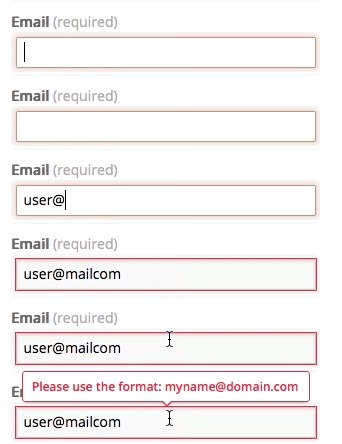
Complement your Smart Walk-Thrus with SmartTips, tooltips that either appear as an icon next to an element or directly over the element itself. SmartTips are ideal for providing context, enforcing data entry rules, or validating input in real time. For example, if users frequently misformat a date field or overlook a required field, SmartTips can display the correct format or flag missing inputs before submission. Or, if users often get stuck on a confusing field, like a dropdown for selecting a code, a SmartTip with definitions can help users confidently make the right selection.
Communicate proactively with ShoutOuts
Use ShoutOuts to communicate system issues or planned updates. If an integration is down or a system update is scheduled, a timely ShoutOut can keep users informed and prevent a surge in support tickets. To share more context about the upcoming downtime, configure the ShoutOut's action button to play a Resource that covers everything users need to know. Proactive communication helps reduce frustration and builds trust, making users more likely to wait for a resolution instead of escalating to support.
To effectively deflect tickets, you must give users the right support at the right time. One of the best ways to do so is to create a centralized help hub using the WalkMe Menu. Whether for web, mobile, or desktop, the WalkMe Menu allows you to organize and deliver various types of in-app assistance, such as Smart Walk-Thrus, Onboarding Tasks, Resources, and Shuttles, in a single, easy-to-access location. Use segmentation to create role-based user journeys, ensuring everyone gets the right guidance in their menu.
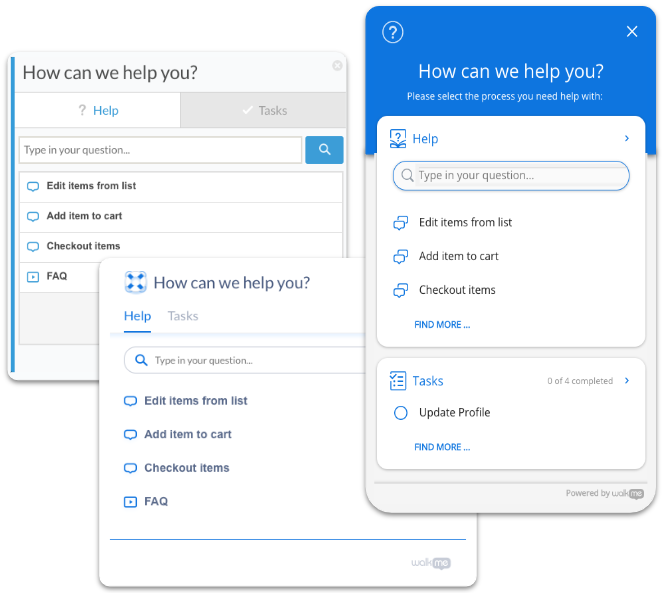
By bringing your help content together in one place, you make it easier for users to find the answers and guidance they need, whether they're getting started, troubleshooting an issue, or exploring advanced features. Use goals and menu engagement data to understand how effective your menu content is and identify opportunities for improvement.
Simplify complex processes with automation and AI
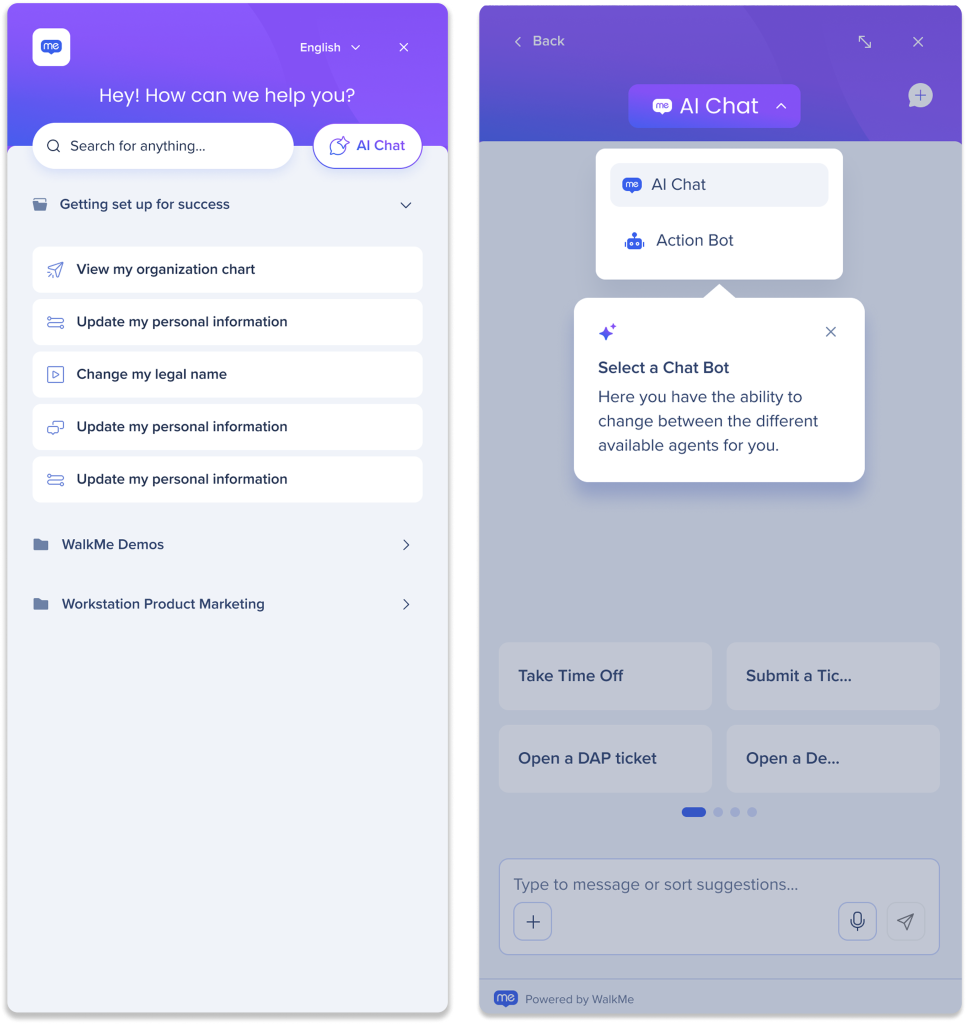
Use WalkMe ActionBot to create automations that help users navigate tricky processes with ease. With its intuitive chat interface, ActionBot uses four key elements to guide users through tasks step by step, without the need for training or complex navigation:
- Bots are the “containers” for your automations. A bot's primary goal is to comprehend user intent by analyzing the conversations it has stored.
- Conversations are a guided flow of messages, questions, and actions to complete a task.
- Launchers are the buttons that open the ActionBot chat when clicked.
- Actions are automated tasks the bot performs, from triggering WalkMe items to connecting with other systems.

Next, make use of WalkMe's generative AI capabilities to offer both proactive and on-demand support. WalkMe's Always-On AI Assistance proactively suggests guidance and help based on what the user is doing, reducing the need for help desk tickets.
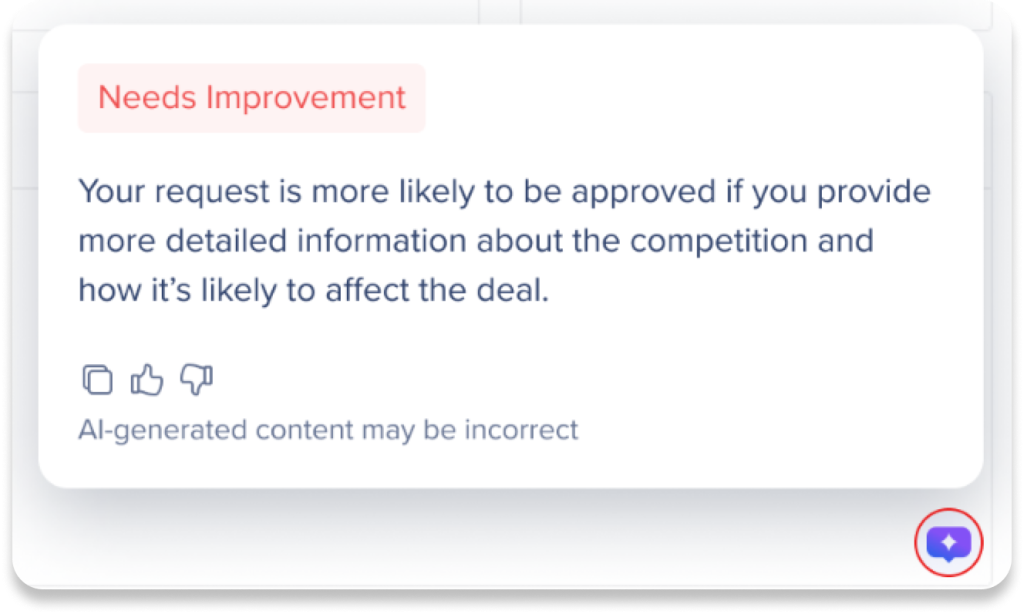
Finally, WalkMe's On-Demand AI Assistance serves as a conversational interface, where users can ask questions and get contextual answers pulled from your organization's connected knowledge bases.
Step 3: Listen to Users and Optimize Over Time
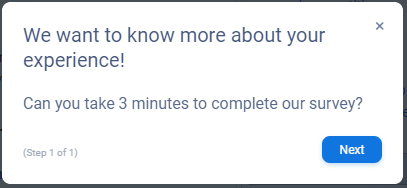
To ensure your efforts are working, ask users directly what they think. Use a survey at the end of your Smart Walk-Thrus to gauge whether the flow is clearer, or run a regular feedback campaign like a Net Promoter Score (NPS) survey. If users still struggle with a specific workflow, or if common themes arise in your NPS results, you can use that feedback to refine your guidance and address the root cause.
As you gather more insights, maintain a feedback loop between your support and WalkMe teams. With an intake process in place, agents can flag recurring issues for WalkMe builders to address with guidance, validation, or messaging, further reducing future case loads.
Probable
What are the outcomes you can expect from your solution?
Now that you know what's possible and how to achieve it, your organization can expect meaningful improvements in both support ticket load and user experience:
- Reduced ticket volume, thanks to in-app guidance proactively addressing problems before they escalate to a ticket
- Improved resolution times, as support agents can more effectively manage their lower case load.
- Higher NPS and eNPS scores, driven by a more seamless and less frustrating digital experience for customers and employees, respectively
How WalkMe customers reduced support costs
- Deloitte reduced employee support tickets by 30% by automating processes, simplifying cross-application workflows, and delivering just-in-time support and updates to applications.
- EDF Renewables achieved an 80–90% decrease in support tickets and an estimated $1.5 million in overall cost avoidance over 12 months.
- KeyBank reported an 80% reduction in support tickets for common workflows by using proactive validations to prevent submission failures.
- JobAdder reduced support ticket volume by 24% through contextual WalkMe experiences.
Provable
How do you measure whether your solution achieved the desired outcomes?
At this stage, you'll measure the impact of your WalkMe solutions using both WalkMe data and broader business KPIs.
Good
Here are some low-effort ways to start gauging the effectiveness of your WalkMe content:
- In Insights, review Total Interactions, Unique Users, and Goals to evaluate whether users complete key actions after interacting with your guidance.
- As you build your ticket deflection-related and support efficiency solutions, tag your content to relevant workflows, then create custom dashboards to monitor overall performance in one place.
- Use a survey at the end of a guidance flow to ask users if the content resolved their issue or reduced the need to contact support.
- Use WalkMe's pre-built Engagement by Item report to download data in bulk and filter for ticket deflection solutions. Analyze this data to develop your own impact calculation.
- For example: Number of content interactions deflecting tickets × average handle time per ticket × average hourly support wage
- To stay conservative, assume WalkMe contributes to ~10% of the total savings and validate these assumptions with stakeholders.
Better
Follow these steps to get deeper insights about user behavior:
- Enable DXA (Digital Experience Analytics), then generate Engaged Elements or Tracked Events to create a baseline of how users engage with relevant processes before deploying WalkMe solutions. This helps you track process adoption and completion before and after deploying WalkMe.
- Use Flow Analytics and Flow Comparison to compare drop-off rates and time saved before and after adding WalkMe guidance to see which processes are improving ticket deflection and support efficiency.
- One calculation you can use with this data: Support cost savings = Assumed tickets deflected × (Time before WalkMe – Time with WalkMe) × Average hourly support wage
- For supported applications, leverage UI Intelligence to identify high-friction forms and error-prone fields that commonly generate support requests. Use these insights to optimize workflows, reduce completion time, and minimize input errors.
Best
Use these best-in-class methods to truly understand the business impact of your WalkMe solution.
The best approach is to combine WalkMe data with your own business data to correlate WalkMe engagement with key support metrics such as ticket volume, time-to-resolution, and first-contact resolution rate. You can connect WalkMe data with your organization's business systems through a data integration. WalkMe supports both outgoing data integrations and incoming data integrations, enabling you to analyze WalkMe's influence alongside your own KPIs and business outcomes.
Consider connecting your WalkMe data with:
- Support and ticketing systems to track reductions in support tickets related to high-friction processes
- CRM systems to measure how WalkMe guidance impacts onboarding completion, feature adoption, and time-to-first-value.
- Customer Success platforms to correlate WalkMe engagement with customer health scores, renewal rates, and expansion opportunities.
- Product analytics and BI tools to combine WalkMe engagement data with product usage trends for a full view of user adoption.
Even if you don't connect your WalkMe data with your business data via an integration, you can look at things like improvements in ticket volume, time-to-resolution, and first-contact resolution before and after WalkMe to correlate how WalkMe influenced the business outcomes that matter to your business.
ROI: Reducing Ticket Volume
Let's say a common issue generates around 500 tickets per month for your support team, each requiring about 20 minutes to resolve.
To address the root cause, you deploy a WalkMe solution that includes SmartTips to validate information at the point of entry, a Smart Walk-Thru to guide users through the process correctly, and a ShoutOut to proactively share helpful updates or reminders. After implementation, tickets related to that issue drop by 60%, deflecting 300 tickets per month.
At an average support team wage of $20/hour, that reduction translates to:
300 tickets × 20 minutes = 6,000 minutes = 100 hours/month
100 hours × $20 = $2,000/month
$2,000 × 12 = $24,000/year
That's $24,000 in annual savings achieved by helping users complete tasks correctly the first time. Beyond the cost savings, ticket deflection frees up support capacity, reduces backlog, and improves the user experience across the board.
Additional Resources
Explore role-based learning paths
Check out our role-based certification courses for hands-on experience with WalkMe.
Builder:
Project Lead:
Program Manager:


